

Most movie trackers are dreadful at horror. Dreadfuls wants a penny for your frights, and it keeps score.
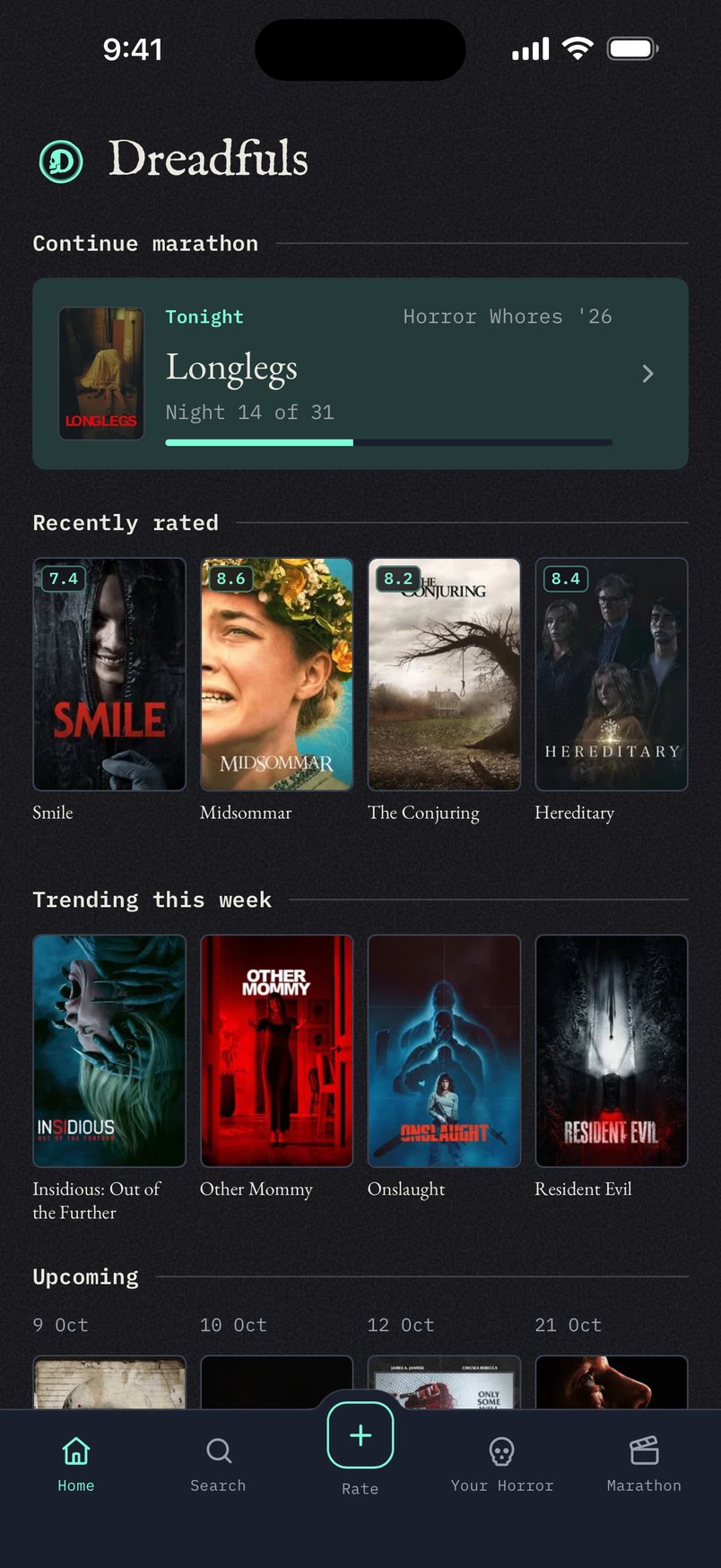
Dreadfuls is a mobile app for horror fans to track, rate, and celebrate the genre they love. Where general-purpose platforms like Letterboxd treat horror as one genre among many, Dreadfuls is built exclusively for it, with a rating system designed around what actually matters to horror viewers: a precise decimal score paired with dedicated subcategory ratings for Scariness, Story, and Rewatchability.
The app grew out of a personal tradition: every October, my wife and I watch one horror movie per night, organized into themed marathons. Over the years, we realized no existing tool captured how horror fans actually engage with the genre: the seasonal rituals, the curated marathons, the debates over whether a film is scary versus simply good. Dreadfuls turns that experience into a product, complete with custom marathon scheduling, personal archives and watchlists, and shareable rating cards built for social.
Horror is one of the most passionate, community-driven fandoms in film, yet it's underserved by generic tracking tools. Dreadfuls gives that audience a home: a place where the genre isn't a filter, it's the whole point.
Origin
Dreadfuls started as a conversation on May 3, 2026, and stayed conversations until September: seven of them, May 3 through September 1. Four months of arguing with myself about how horror should be rated, with nothing built.
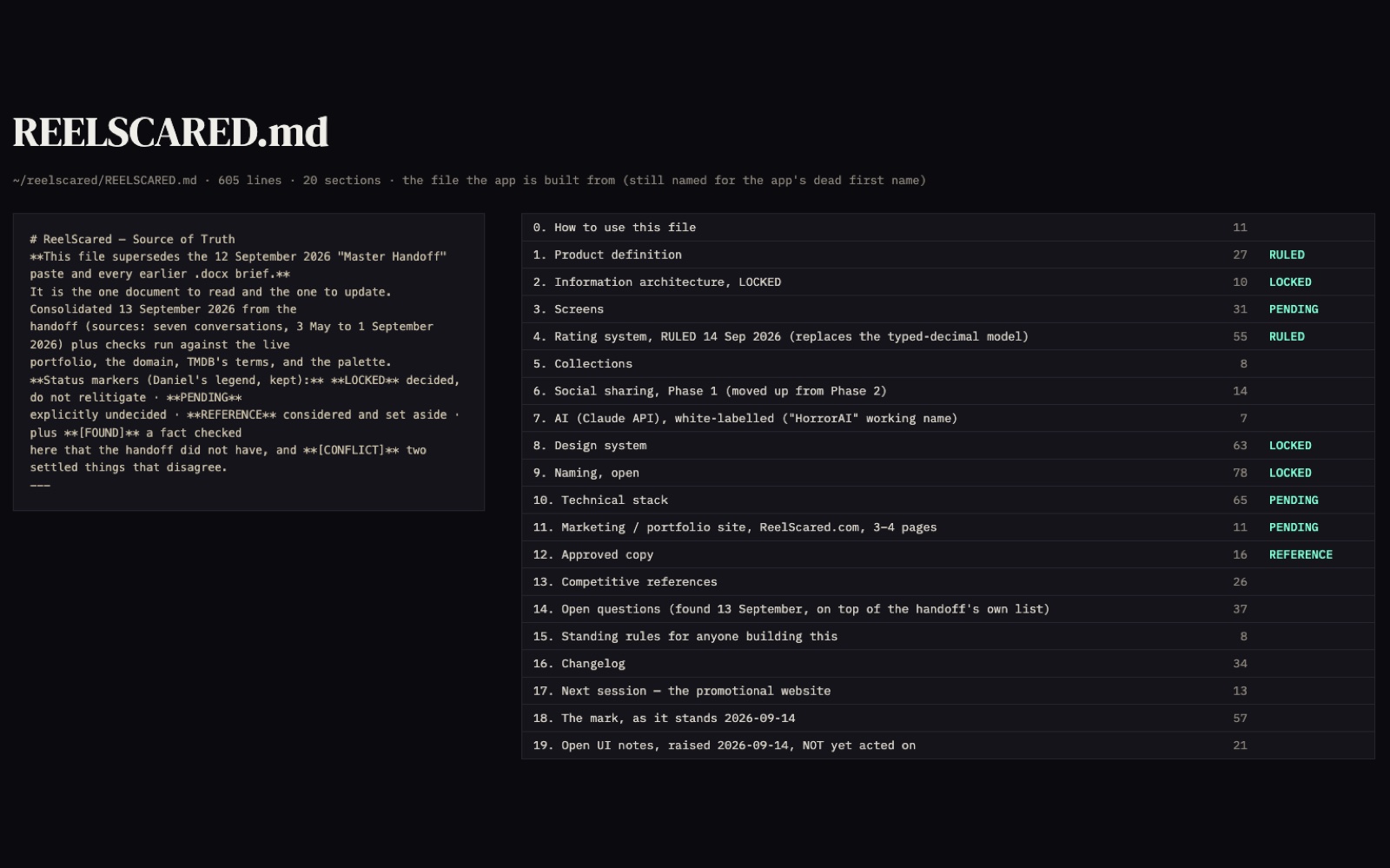
On September 13 I turned all of it into a single markdown file: every flow, every section, every page, with the decisions and the reasons behind them. It is the source of truth, and everything gets built from it, so the thinking and the build never drift apart. It is why a rename, a palette repair, and a whole rating model could land in one week without losing the thread.
Mobbin through MCP jump-started the components. The subcategory row came from looking at how Tripadvisor and foodpanda ask a question before they show a scale, rather than inventing a pattern people would have to learn.
The Sign-Up Site
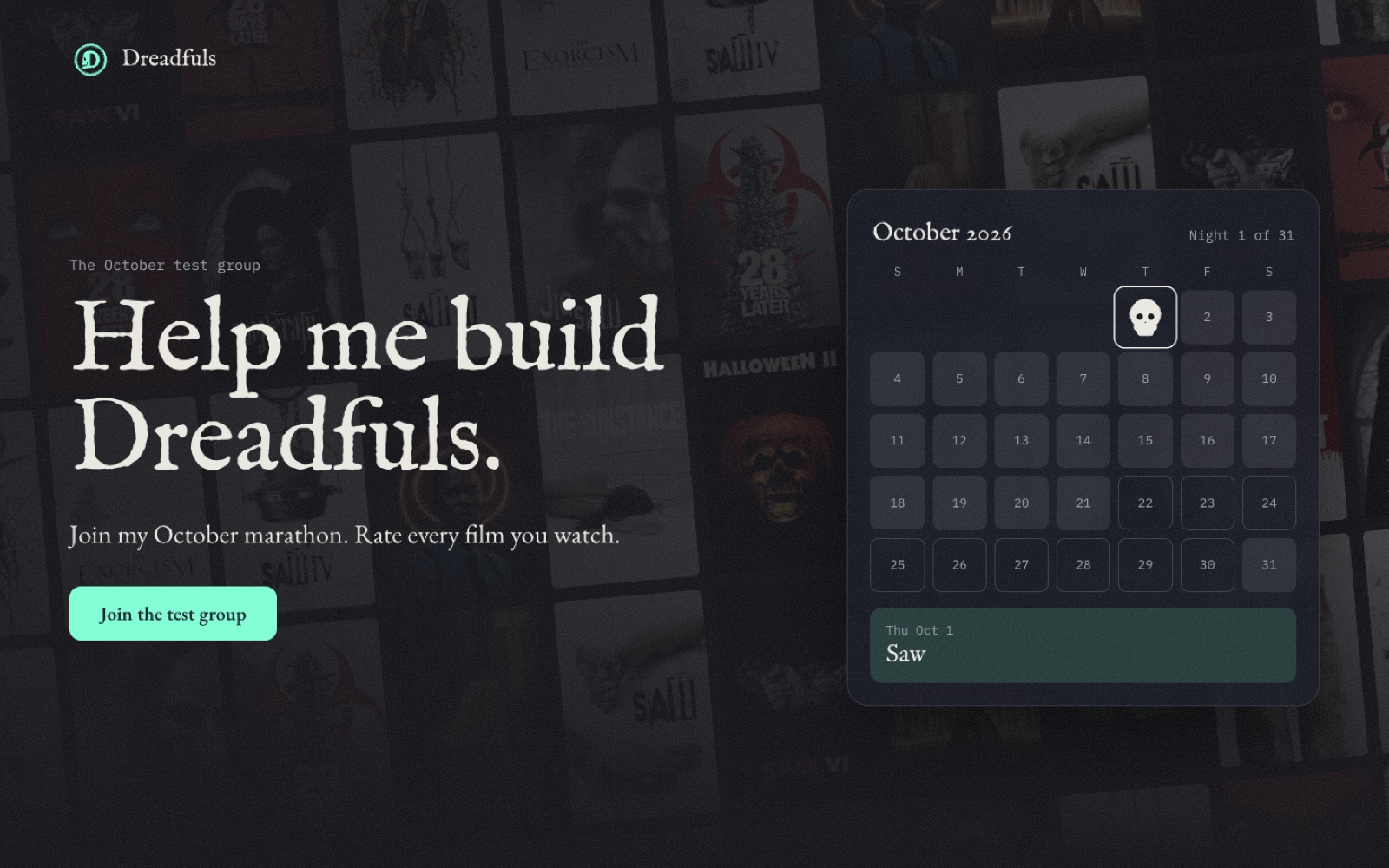
dreadfuls.app is where people sign up to test. It went live two days before the October marathon started.
The phone on it isn't a mockup. It's the app's real Rate flow, built from the same code, so you can rate a movie before you ever sign up. The first version was an old, hand-copied flow, and I caught it. Now it can't fall behind.
“Why I made it” shows last October's actual sheet, Ana's scores and mine. And there's a jump scare at the end, with the skull from my logo.
Dreadfuls
Build Log
What I built, where AI came in, and what I threw away. Newest first.
Day 18 2 entries
-
Share a rating as an image
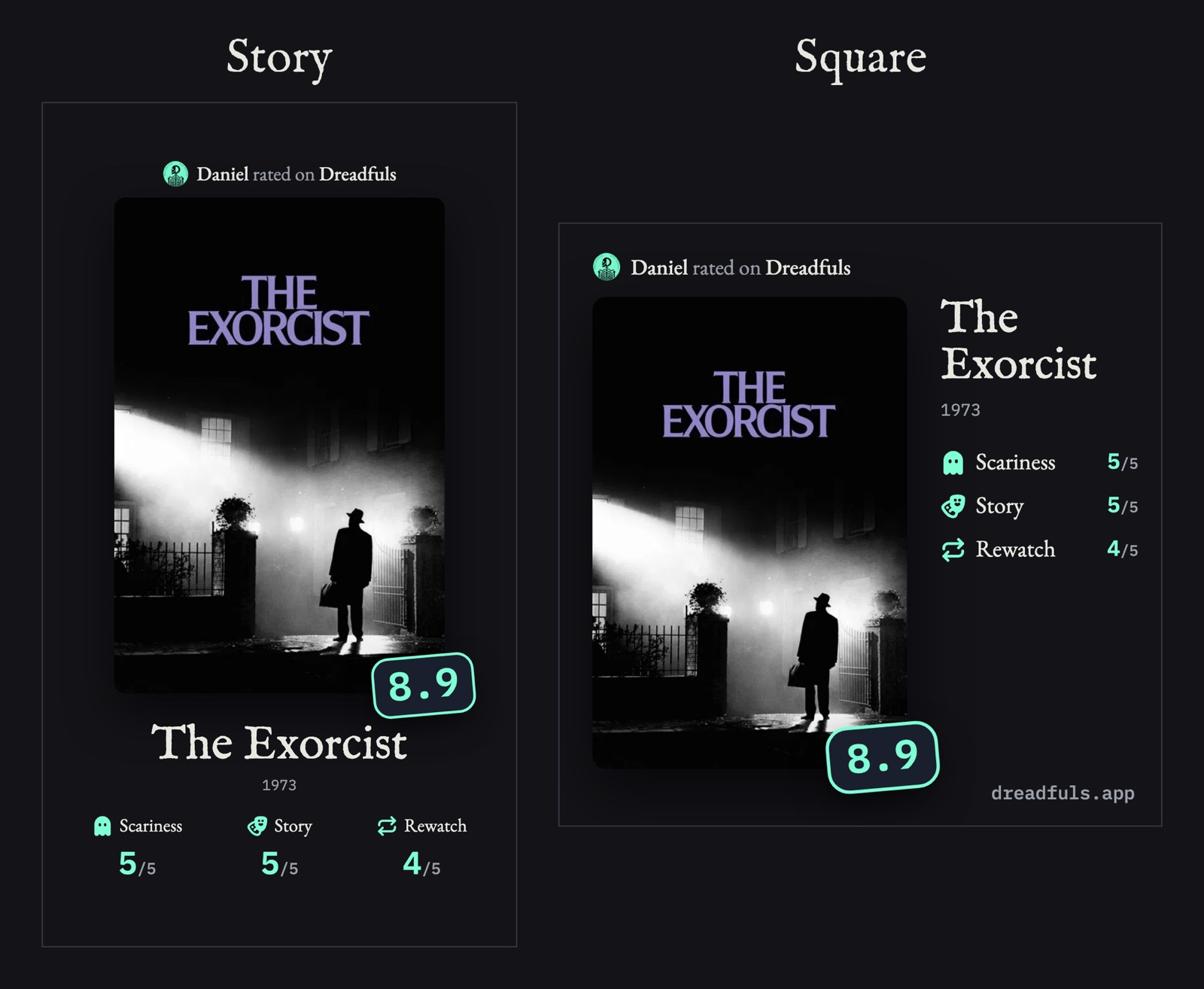
Story or square, exactly as the app draws them. - What I Built
- After you rate a movie, you can share it. The card shows the poster, your score, and your answers. Share it, save it, or copy it, as a story or a square. It's also on the film page and in a swipe in Your Horror.
- Where AI Came In
- Claude drew the card as an image the phone can share, and moved the top line below where Instagram puts your username.
- What I Threw Away
- Links. A row for Threads, X, WhatsApp, and Messages got built and pulled. “I only want the image to be shareable at the moment.”
-
A LinkedIn comment changed the rating screen
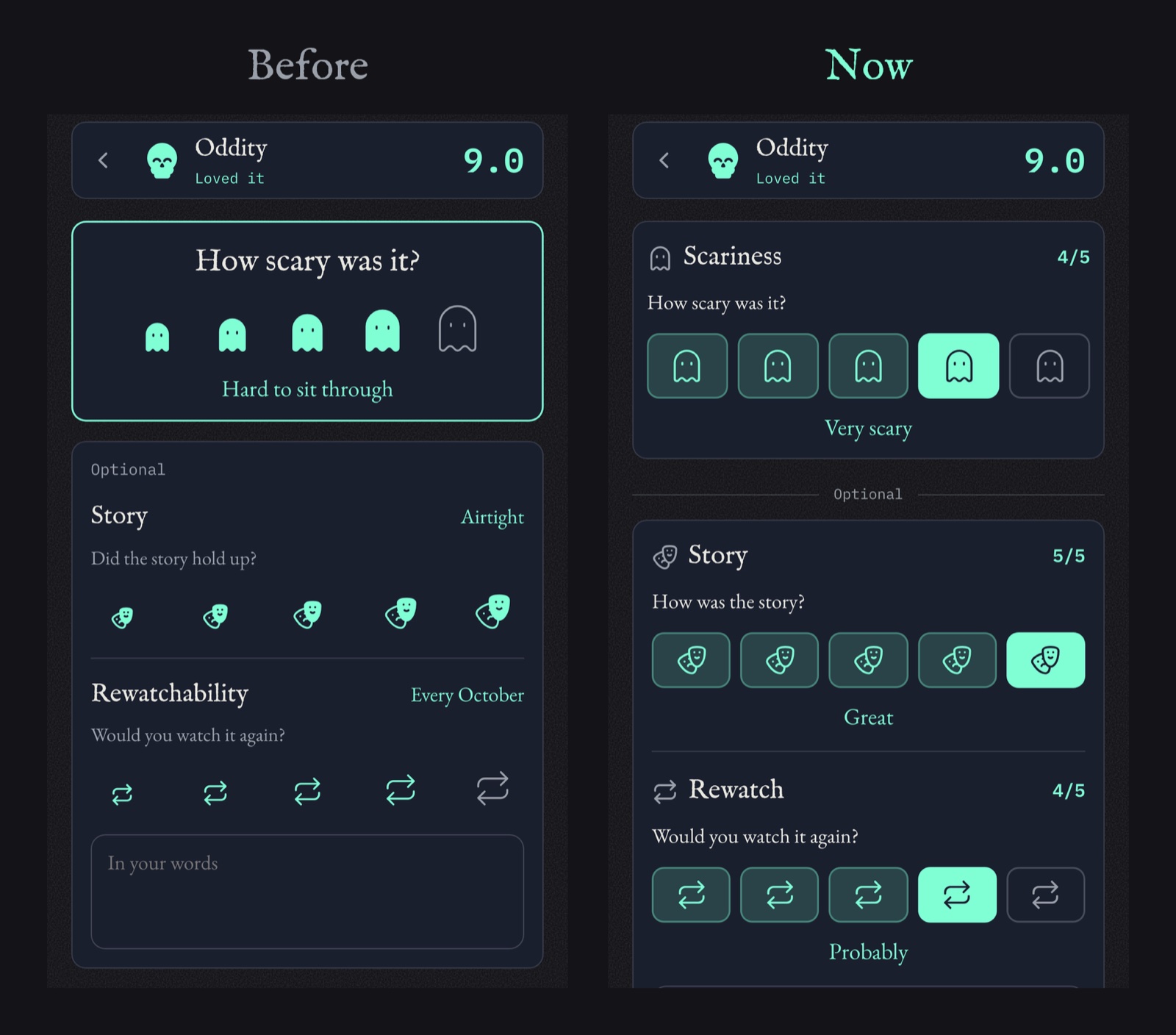
Same three questions. One icon each, and the pick says what it means. - What I Built
- Ryan commented on my subcategories post. Some of the icons didn't translate, especially rewatch. He was right. The icons got bigger to show "more," and a bigger repeat arrow doesn't mean anything. Now each question uses one icon, five times. Your pick is solid, it says what you picked in plain words, and it saves as a number out of 5.
- Where AI Came In
- Claude built five versions of the screen in a day, so I could try each one on my phone.
- What I Threw Away
- The growing icons. And Ryan's slider. “I've never been a big fan of sliders.” I don't think they say what they mean. His point was right, though, so I kept that part.
Day 17 1 entry
-
The film page got three new doors
The poster, Dead Meat, and A24, all from one film page. - What I Built
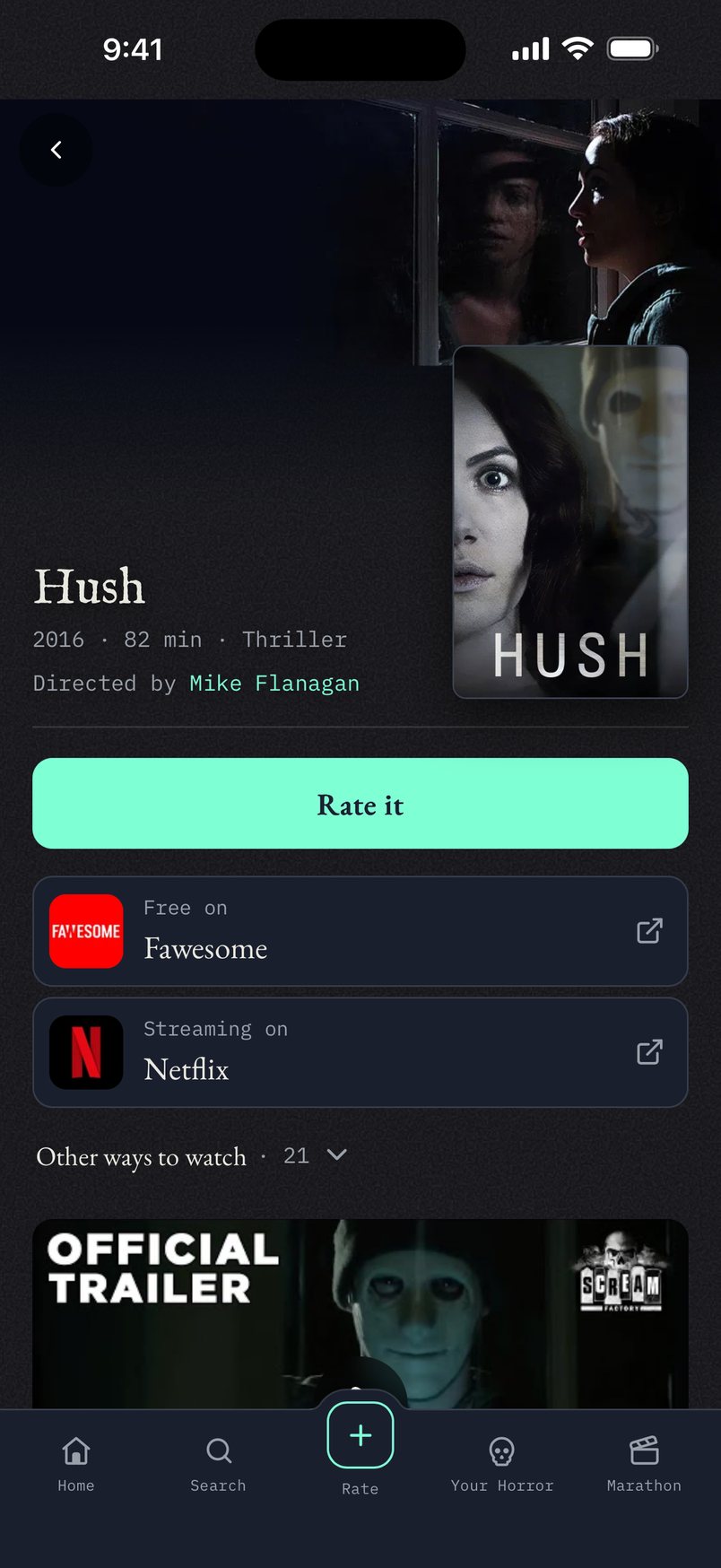
- Three things in one week. Tap the poster to see it full screen, with the title as a real header. "Covered on Dead Meat" opens their Kill Count episode for that movie; 458 movies are matched. And "From A24" sits under the title. 13 horror studios get their own page, and search finds them, even if you type "bloomhouse."
- Where AI Came In
- Claude matched Dead Meat's whole Kill Count playlist to the right movies. TMDB doesn't list who released a movie, so it pulled A24, Neon, and IFC Midnight's films from Wikidata.
- What I Threw Away
- Every other studio. TMDB lists every company on a movie, so only 13 hand-picked horror studios show.
Day 16 1 entry
-
A tie is an answer too
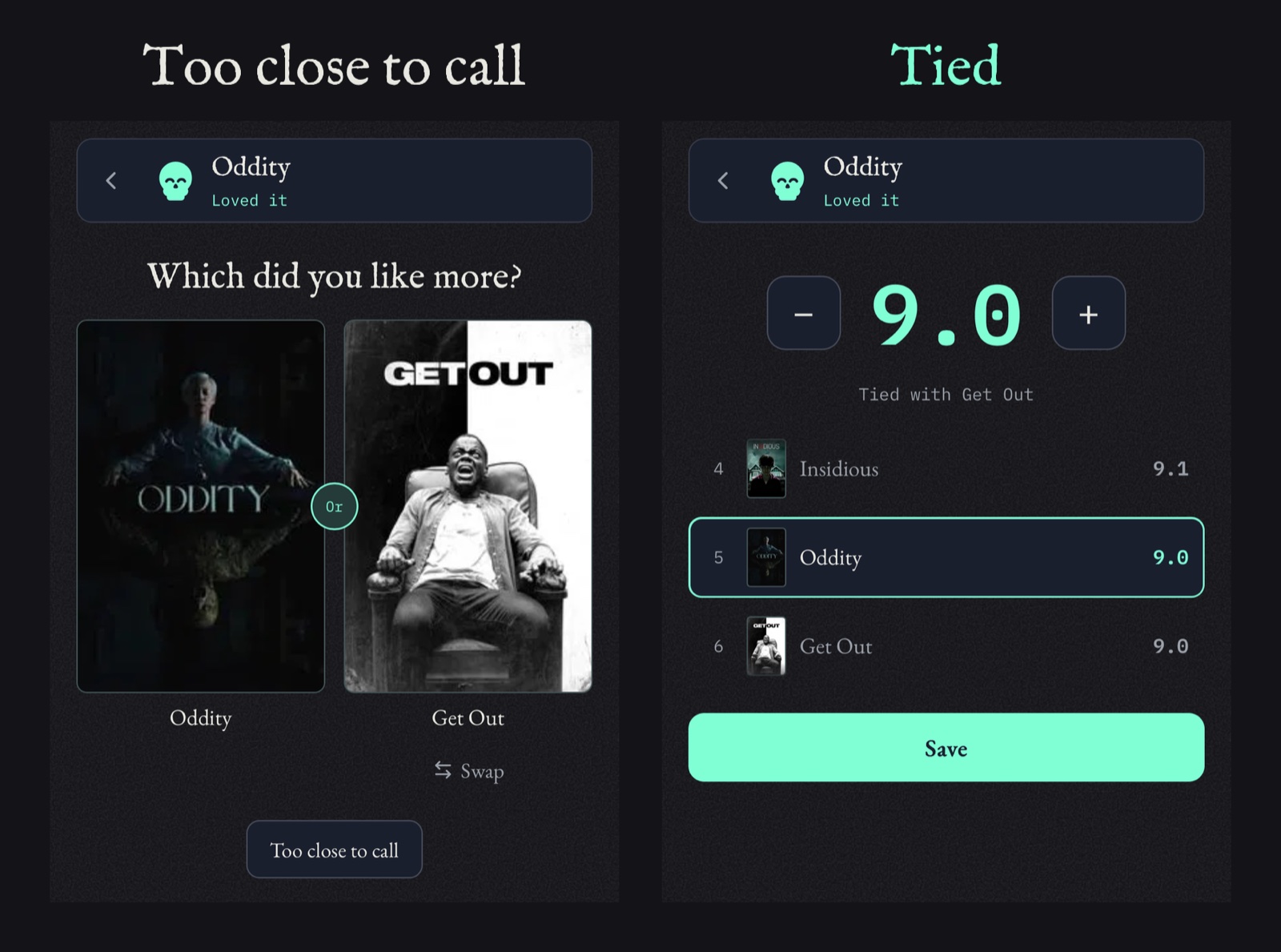
One tap on Too close to call, and the score lands right beside the other movie. - What I Built
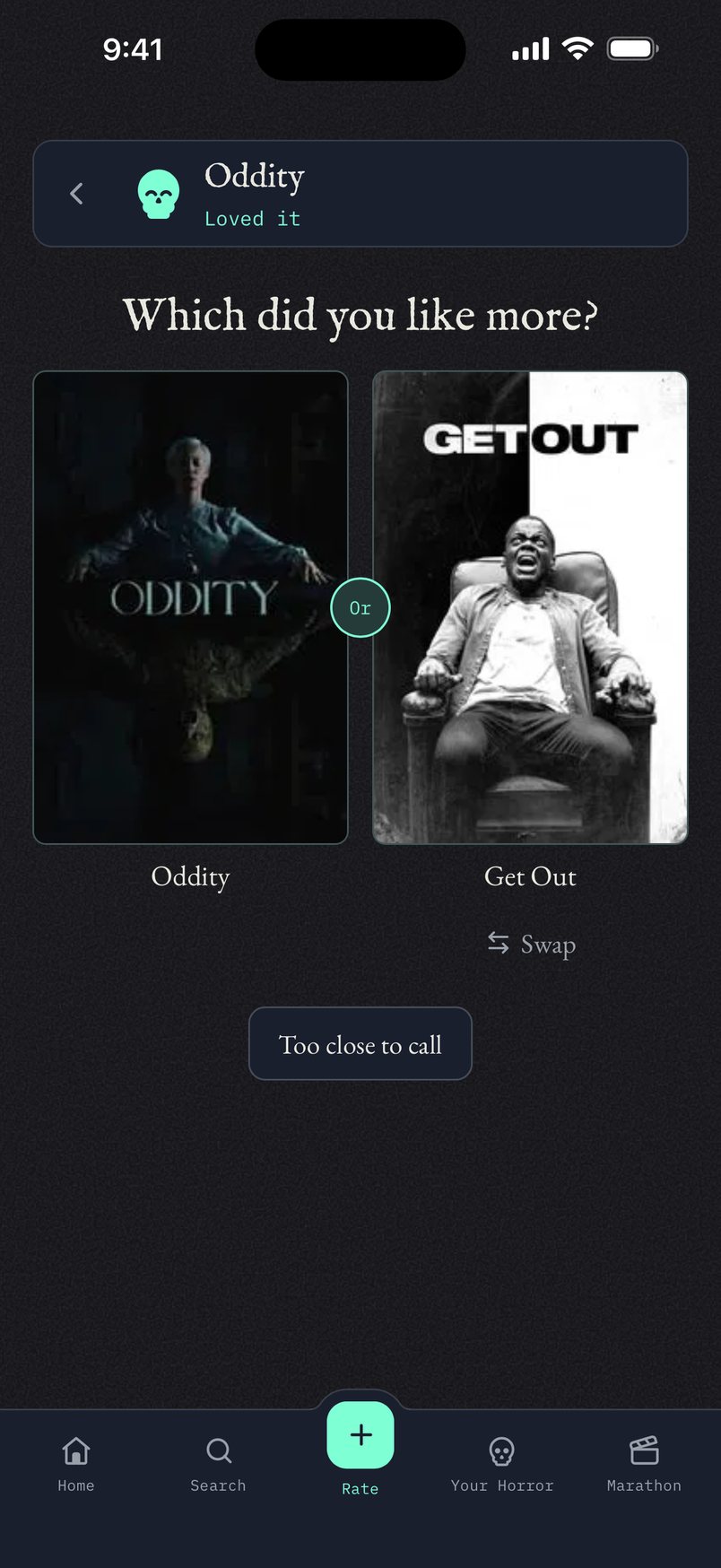
- Rating works by comparing. Is this movie better or worse than one you've already rated? But sometimes two movies are just too close to call. Before, a tie asked you another question anyway. Now a tie ends the compares. You go straight to the details, and the score says "Tied with" the other movie.
- Where AI Came In
- Claude made the change and checked that a tie never moves your score.
- What I Threw Away
- The extra question after a tie. If you can't pick between two movies, a third won't help.
Day 15 1 entry
-
The whole screen could be dragged sideways
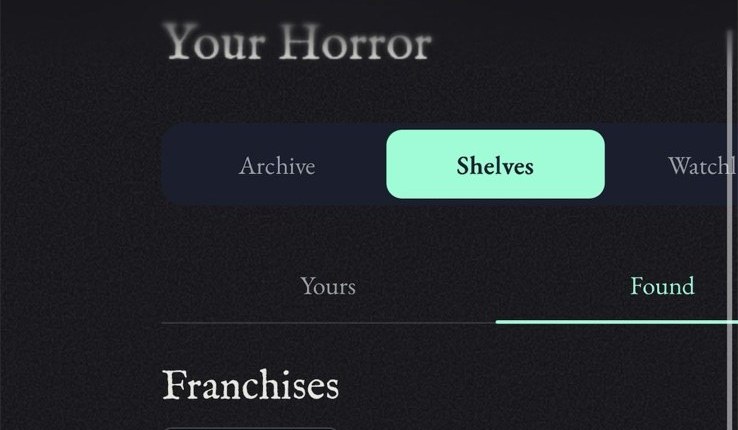
Everything shifted right, and the Watchlist tab cut off. - What I Built
- On the Shelves screen I could grab the page and drag it sideways, like it wasn't attached to anything. That's not how it should work. The page should only go up and down. The rows of posters still slide sideways on their own, because that's what they're for.
- Where AI Came In
- Claude found the cause: the part of the app that scrolls was only told how to go up and down, so the iPhone let it move every direction. It locked it to up and down, checked the poster rows still reached the edge, and it went live the same night.
- What I Threw Away
- Fixing just the Shelves screen. The cause was in the frame every screen sits in, so one change fixed all of them.
Day 14 3 entries
-
Feedback goes through the app, not my inbox
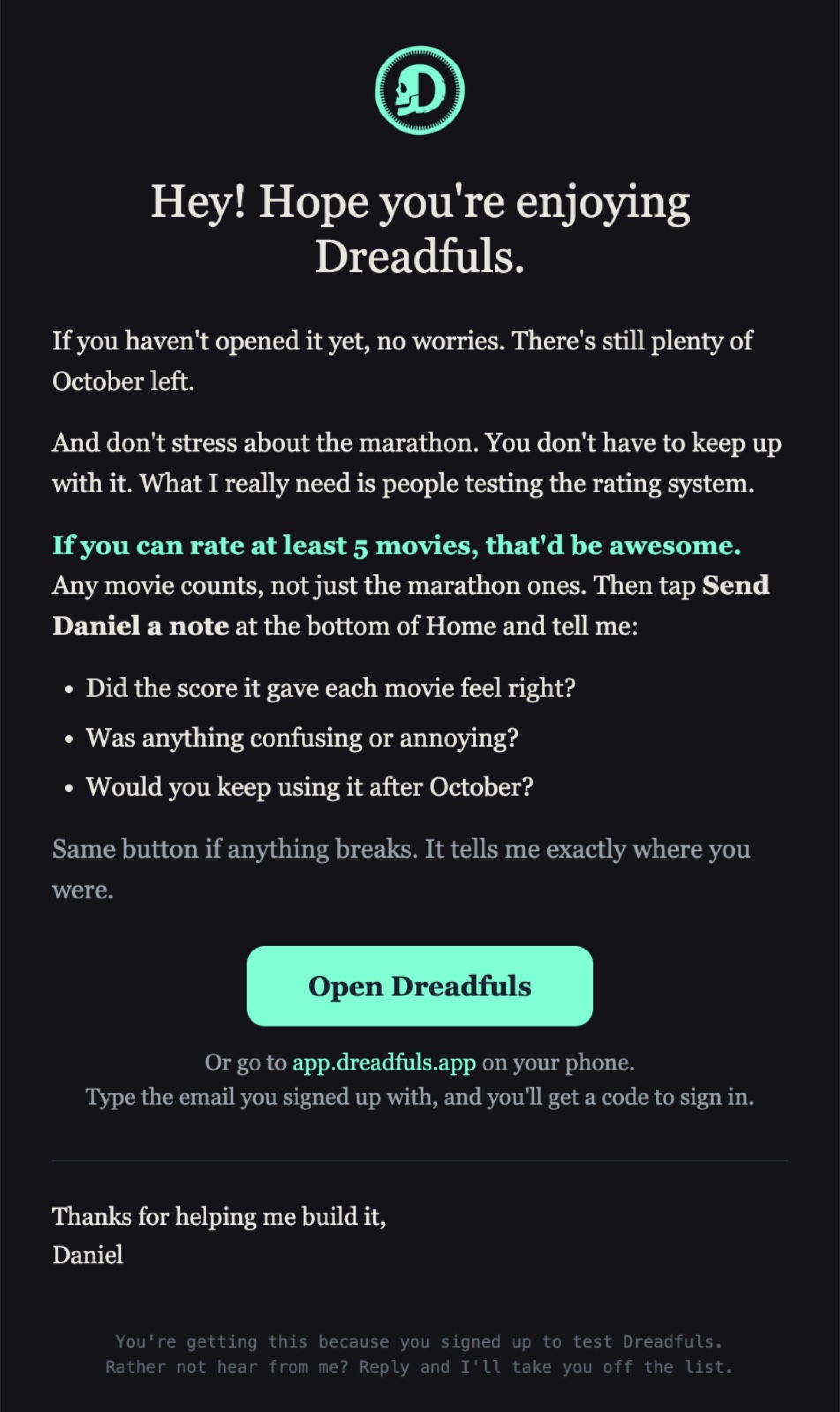
The reminder that went out Thursday at 6 PM. - What I Built
- I sent a reminder to 15 testers asking them to rate at least 5 movies, then tell me three things: did the score feel right, was anything confusing or annoying, and would you keep using it after October. My first draft said to reply to the email. I changed it to the Send Daniel a note button in the app, because that's where the ratings happen and the note tells me exactly what screen they were on. I left out anyone who'd already opened the app that week, and the four people who signed up two days before.
- Where AI Came In
- Claude wrote the send and scheduled each email for 6 PM. It also checked whether notes email me. They already did, since September 30. We tested it instead of building it again.
- What I Threw Away
- Reply-to-this-email as the way to give feedback. Also, sending all 15 at once: Resend turned away 5 of them for going too fast, so those went again. Four people on the list opened the app within an hour.
- Next
- Read the notes as they come in.
-
A tester's Google account wasn't the one she signed up with
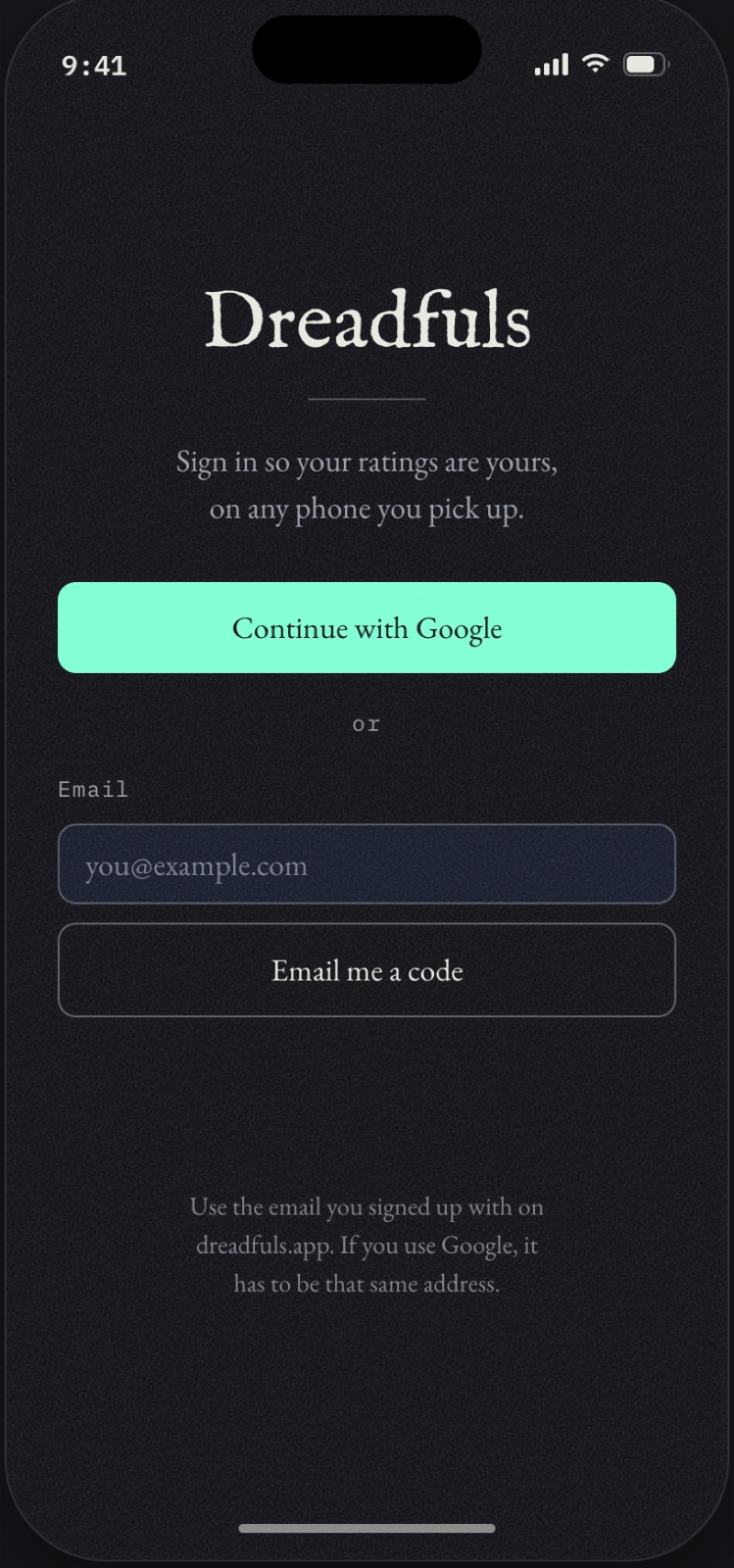
The line at the bottom is new. - What I Built
- A tester couldn't get into her account. The logs showed she tried Continue with Google twice and got turned away both times. Her Google account isn't the email she signed up with on the website, and the tester list only knows that one. The sign-in screen never told anybody that. Now it says to use the email you signed up with on dreadfuls.app, and if Google gets turned away, it says why.
- Where AI Came In
- Claude read the sign-in logs and found both of her tries in a couple of minutes. I wouldn't have known where to look.
- What I Threw Away
- The old error message. It told her nothing, so she had no way to fix it herself. She got in the night the reminder email went out.
-
Search finds the people, not just the movies
Type a name, get the person, then their films. - What I Built
- You couldn't search for a director or an actor, only a movie title. Now you can type Flanagan and Mike Flanagan shows up above the films, with his photo and Director under his name. Tap him and you get his page. It shows up to three people, and only people known for horror. I also asked whether documentaries belong in the ratings. They do if they're scary. A documentary about horror movies doesn't count.
- Where AI Came In
- Claude built the search and the filter. I checked it by typing names I know.
- What I Threw Away
- The first filter. It let in a TMDB entry called Halloween Gore Store and anybody whose last name was Saw. Now every word you type has to be a whole word in the person's name, and they need a photo and a real following. The rows also started out as tall as a movie poster, which left big gaps, so they're square now.
Day 13 2 entries
-
Two guesses failed, so the phone measured itself
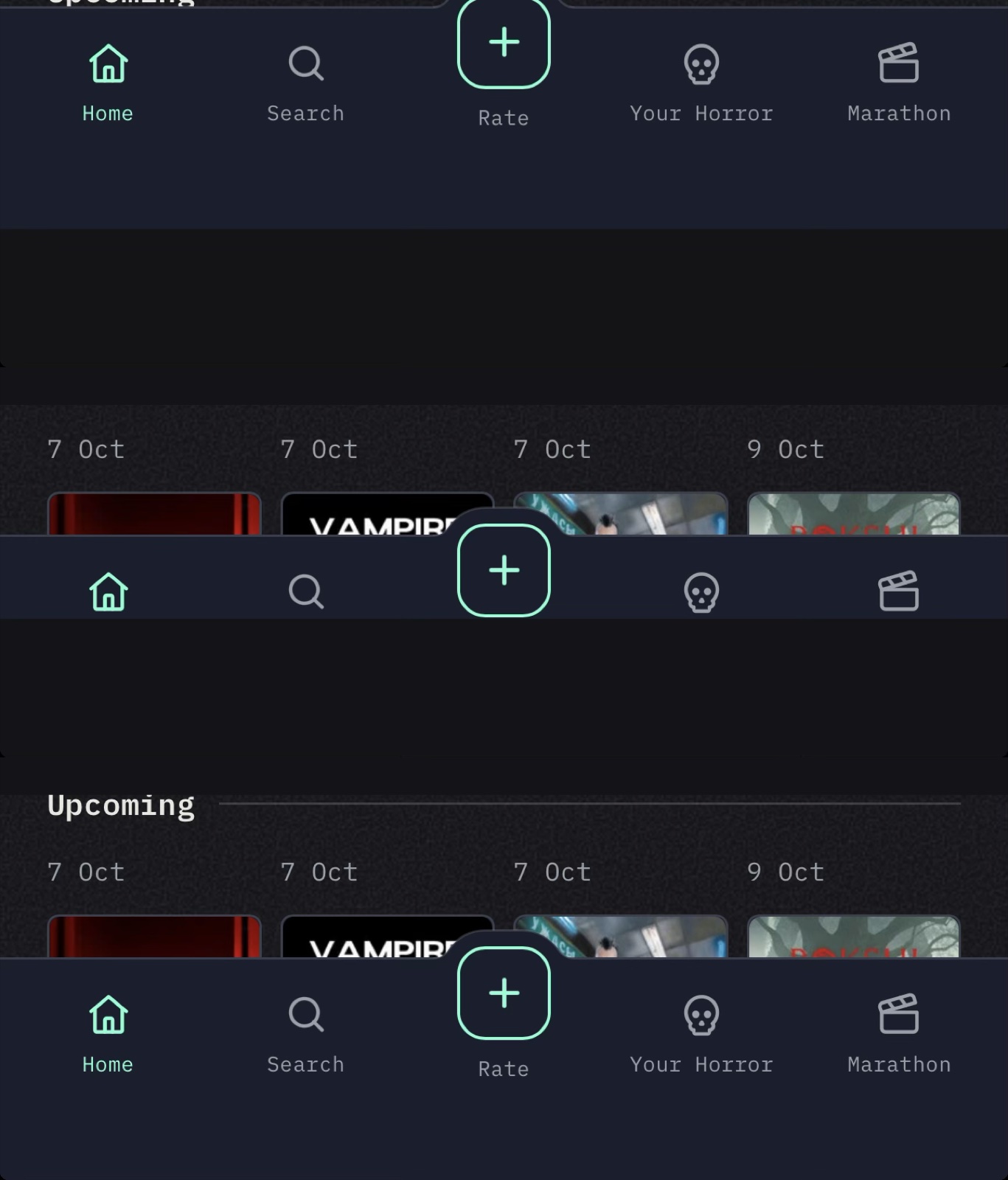
The strip, the labels cut off, then fixed. - What I Built
- On my phone, the bottom nav didn't go all the way to the bottom. There was a dark strip under it. I want it to fill the whole phone, no matter what phone you're on. The first fix didn't change anything. The second one cut the labels off the nav. Oh man. The third one worked, and it looks good to me.
- Where AI Came In
- Claude can't test the home-screen app, so I was the test. I sent a screenshot after every deploy. After the second miss, the app started recording what my phone reports: 932 points of screen, and iOS only gives the app 873. That's exactly the status bar.
- What I Threw Away
- Two fixes that were guesses. The third one came from my phone's real numbers. Making the page that tall also meant pulling down dragged the whole app, so I stopped the page itself from bouncing.
- Next
- Every tester's phone now reports its size, so the next layout bug starts with numbers.
-
A fix for one sheet hid the button on every other
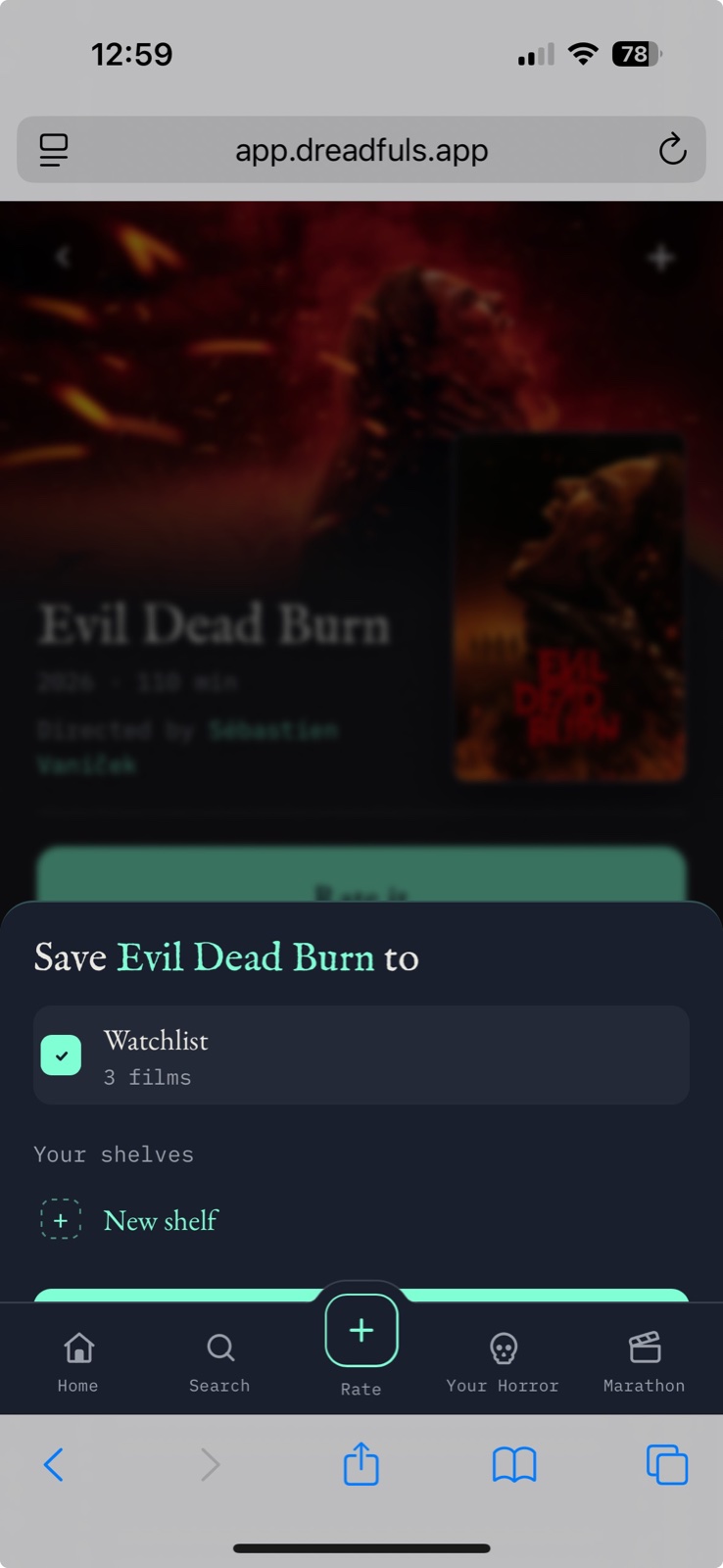
The green sliver is the button. The nav was sitting on top of it. - What I Built
- A friend who's testing texted me a screenshot. When they saved a movie to their watchlist, the button at the bottom of the sheet was under the nav. I was seeing it too, and I'm pretty sure a bunch of other people were dealing with it. The sheet needs to obviously sit on top of the nav. So now every sheet does, everywhere. I put an announcement on Home saying it's fixed, and announcements only last 24 hours now. The first one was still up five days into the marathon.
- Where AI Came In
- Claude traced it back to a fix from 1 October. I'd asked for the nav to sit above the marathon walkthrough so the Rate button didn't get cut in half. That fix put it above every sheet in the app.
- What I Threw Away
- That 1 October fix. It solved one screen and broke all the others, and nobody noticed for four days. A tester did.
- Next
- A reminder email Thursday for people who signed up and haven't opened the app.
Day 12 1 entry
-
The home-screen app couldn't stay signed in, so sign-in became a code
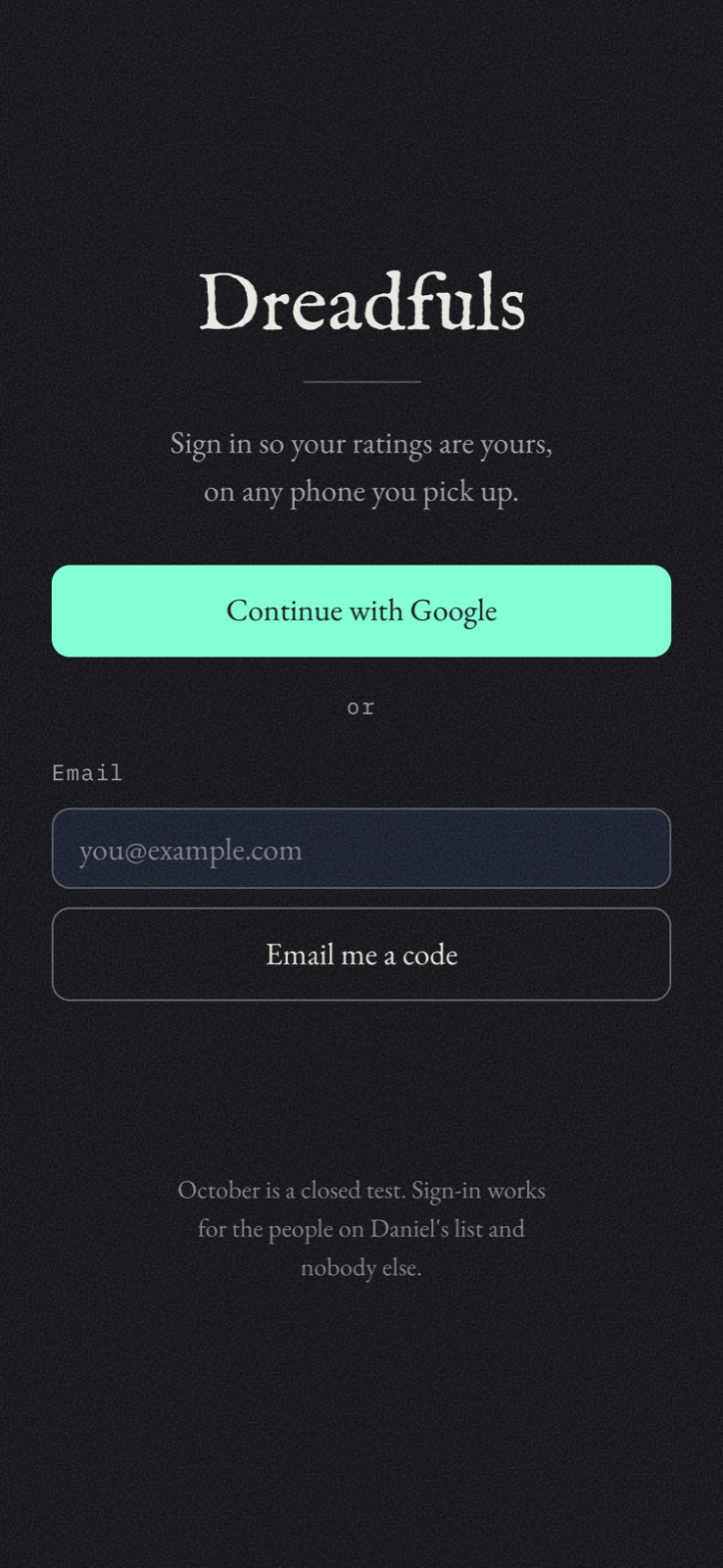
One code, typed into the app itself, and you're signed in for good. - What I Built
- I don't want to sign in, ever. I want to add Dreadfuls to my home screen and be signed in every time I tap it. That wasn't happening. iPhone gives the home-screen app its own storage, separate from Safari. The sign-in link in the email always opens in Safari, so the home-screen app never got signed in. Now the email has a 6-digit code too, and you type it into the app itself. You do it once, and it stays signed in.
- Where AI Came In
- Claude found out why it kept signing me out, built the code screen, and updated both sign-in emails in Supabase. I tested it on my phone, which is the part it can't do.
- What I Threw Away
- The link as the only way in. It still works in Safari, it just isn't the main way anymore. Then I couldn't paste the code: I could copy it, but it wouldn't paste into Dreadfuls. The field kept only the first 8 characters, and those were the invisible spaces copied from around the code. Fixed the same night.
- Next
- See if testers actually stay signed in.
Day 11 1 entry
-
The marathon is real, and anyone can swap any night
Swapping night 22 for Hush. Recorded 9 October. - What I Built
- dreadfuls.app is live, a sign-up page for the October test group. The rating demo on it is the app's real Rate flow. “Why I made it” shows last October's actual sheet, Ana's scores and mine, with the three questions a sheet can't ask left empty. There's a jump scare at the end, with the skull from my logo. In the app, the marathon is real now: 31 nights, and everyone who signs up is in it. Swap is back on every night. And there's a button to put Dreadfuls on your home screen.
- Where AI Came In
- I asked “Why isn't the flow the new one we've determined for how the rating works?” Claude had hand-copied an old version of the Rate flow onto the site. Now the site builds that phone from the app's own code, so it can't fall behind again. It also wrote the SQL for the marathon, and I ran it from my phone.
- What I Threw Away
- Swap, for five days, without anyone noticing. It left the marathon screen in a redesign on the 24th, and nothing ever sent you back to it. I feel like we talked about it, but we never did. It's back now, and it pulls from your own shelves. I also cut the moving poster wall on the site. With the calendar animating too, it was too much.
- Next
- Send the link to friends.
Day 10 1 entry
-
One question per screen, and the redesign ate what I'd approved
The whole rating, one question at a time. Recorded 9 October. - What I Built
- Rating is one question per screen now, the same flow for onboarding and the Rate tab. How was it, which did you like more, how scary was it, would you tell a friend, and then your score in tenths. Saving doesn't make you wait. A +1 pops up over Your Horror when it lands. And there's a VHS tear when you pick a movie to rate.
- Where AI Came In
- An accessibility pass on the whole app, fixed the same morning. Focus follows each question, the headings are real headings, the contrast went up, and the targets got bigger. I asked whether we'd run one yet, and we hadn't.
- What I Threw Away
- Most of a redesign, twice. I said the details screen had a lot of cards, and it came back with every card gone. Everything was small, and the note field was missing. “What happened to everything that we designed before?” Same with links. I said stop underlining things, and everything turned into a button. There are things that can live just as text. So now the rule is: fix the part I name, and keep what I already approved. I also cut the VHS tear from everywhere but picking a movie. We saw it a little too often.
- Next
- The website, so people can sign up.
Day 9 1 entry
-
I tested onboarding as a brand-new user, and it froze on me
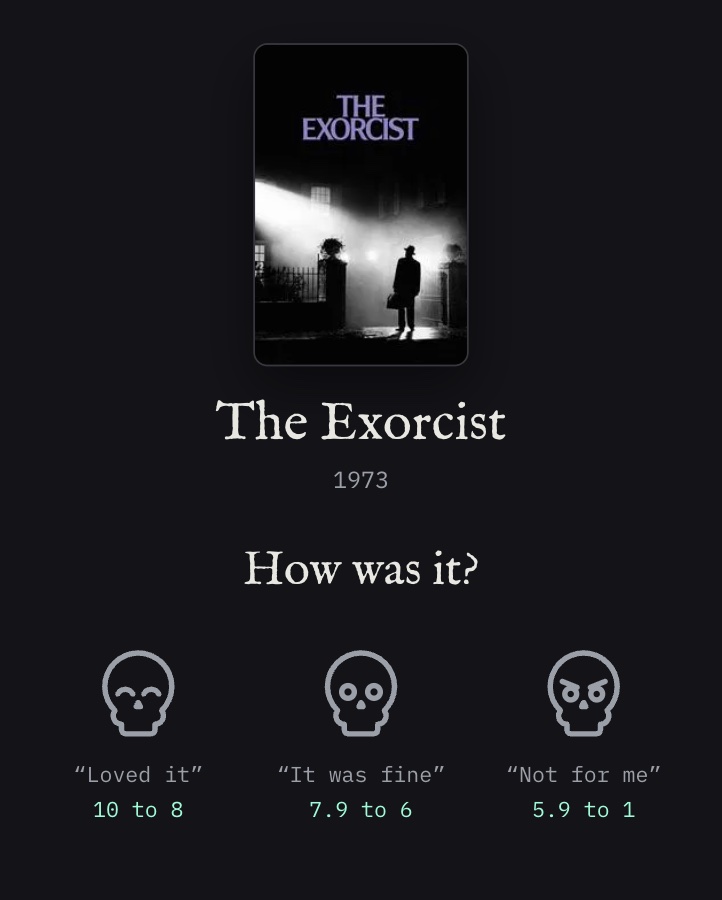
The skulls are the buttons, with their ranges right under them. - What I Built
- Onboarding, rebuilt. You pick three movies you've seen from a grid of 24 horror movies people actually know, then you rate them. The skulls are the buttons now, and each one reacts: a hop, a shrug, or a head shake. There's a warning before your last swap. The app went live at app.dreadfuls.app. And October got 22 of its 31 nights.
- Where AI Came In
- I'd been saying “we have to remember this” for days, and I couldn't remember any of it. So Claude pulled every loose end into one list. Then I went through onboarding on my phone as if I'd never seen the app, and every problem I hit went on that list or got fixed.
- What I Threw Away
- Rating 24 movies to get in. That's a lot. I'm thinking three is enough to start. I also cut lines that break onto a second line with one word hanging. I hate orphans, especially when they could easily not be. Rewrite it so it fits on one line.
- Next
- One question per screen for the whole rating flow.
Day 8 1 entry
-
Every poster is one size now, and the exceptions have rules
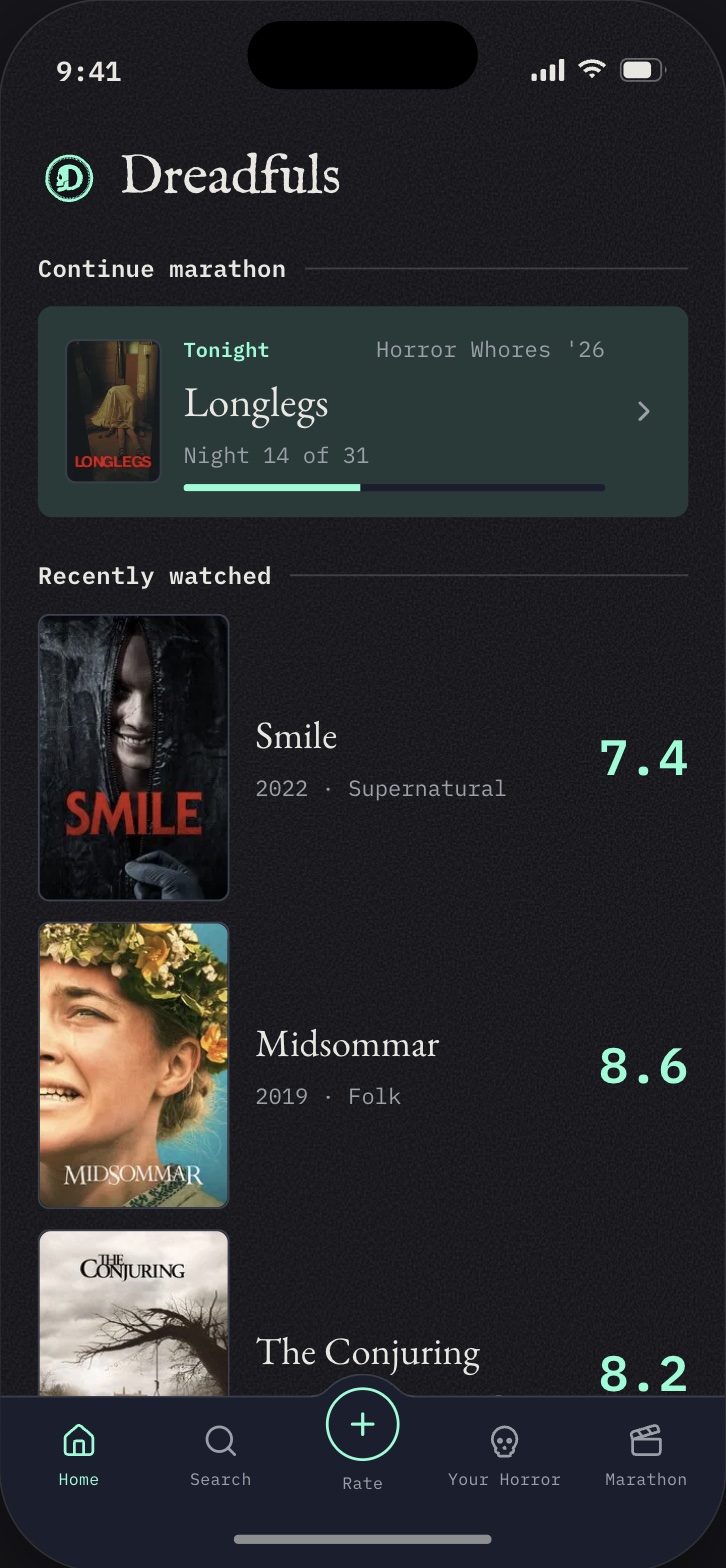
The standard poster, and one of the written exceptions: the marathon card keeps a small one. - What I Built
- Sample data on every screen, so I could actually see what they look like. One poster size everywhere, with the exceptions written down: grids, the hero, the marathon card, and lists you scan. A to Z letters in the archive. Swipe to remove from the watchlist. And my Google Sheet came in: 52 movies I'd already scored. I also started the running list for October.
- Where AI Came In
- I wasn't at my desk, so the import had to run from my phone. Claude turned my sheet into one SQL paste and matched every movie to TMDB first. Four needed a hand. “Us” had matched a 2025 movie with the same name, and “The Ring” had matched Fellowship of the Ring.
- What I Threw Away
- The “5 to finish” button and the imported ratings row on Your Horror. I didn't need them right now. I also cut the Top 10 turning into a side scroll just because its posters got bigger. Same size doesn't mean it has to scroll sideways. It went back to a list.
- Next
- Go through onboarding as a brand-new user.
Day 7 1 entry
-
Nothing I rated had ever been saved
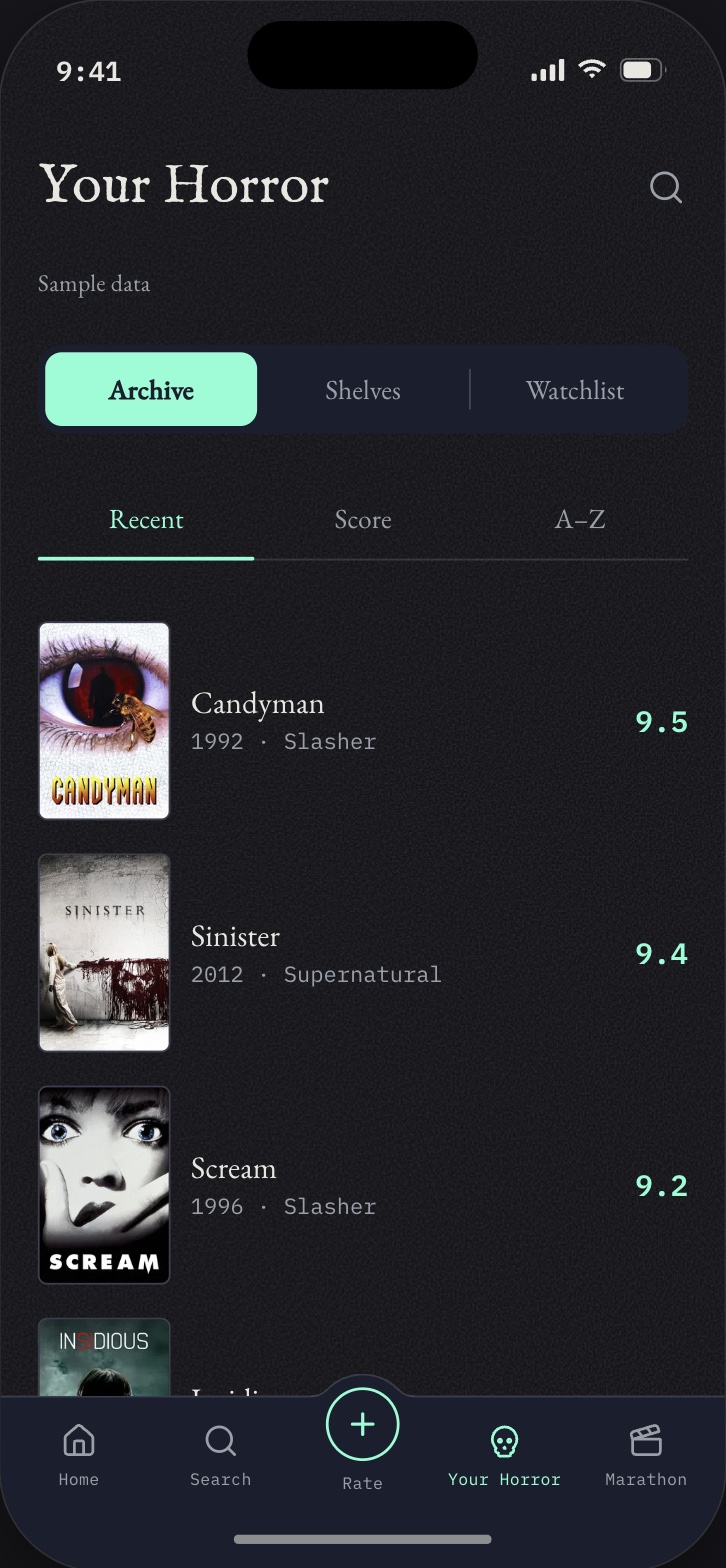
Your Horror, in three tabs. - What I Built
- The film page, rebuilt twice. I love movie posters, so the poster's a real highlight now, with a still from the film across the top. I'm not trying to steal Letterboxd, but I really like how they do theirs. Where to watch is split into free, subscription, and rent or buy. Your Horror became three tabs: Archive, Shelves, and Watchlist. And franchises track themselves, with a bar that shows how much of one you've finished.
- Where AI Came In
- While Claude wired the film page to real data, it found out the ratings table had never been written to. The Rate screen said “Saved.” and kept nothing. Then it found the same mistake three more times. The film page, the rating list, and the marathon row were all reading sample numbers that sat right next to real ones. I rated Longlegs to check, and it finally stuck.
- What I Threw Away
- A fancier word for shelves. I asked if there was something from the penny dreadful days, like whatever people carried them in. Shelves won, and I think that's the right call. I also cut the franchise screen saying Longlegs was part of a collection of one. If there's only one movie, it's not a franchise.
- Next
- Fill every screen with sample data so I can judge them properly.
Day 6 1 entry
-
The date square turns into a skull, slow enough to see it happen
Each night you pick turns into a skull. Recorded 9 October. - What I Built
- The marathon screen, finally. The calendar stays put while the nights scroll under it. A progress bar shows what I've watched and what's left, with a number on each end. There's a Today button to jump back to tonight. And when you pick a night, its square turns into a skull. That one was my idea, and I'll admit it was a little crazy.
- Where AI Came In
- Claude built the morph, and I tested it on my phone. Then it rebuilt it. And rebuilt it again. I kept saying the same thing: “It's a jump and not more of a transform.” So I sent it morphicons.com, which had a square turning into a skull, and said that's what I mean.
- What I Threw Away
- Four versions of that morph. Too round, then too wide, then too fast, then still too fast. I wanted to “see the outline drag into the skull outline,” and it took a whole afternoon to get there. I also cut the Rate button off every row. It was too much, and tapping the poster already gets you to the rating. And tonight stopped being orange, because orange is the warning color.
- Next
- The film page.
Day 5 1 entry
-
Real posters showed me everything that was quietly wrong
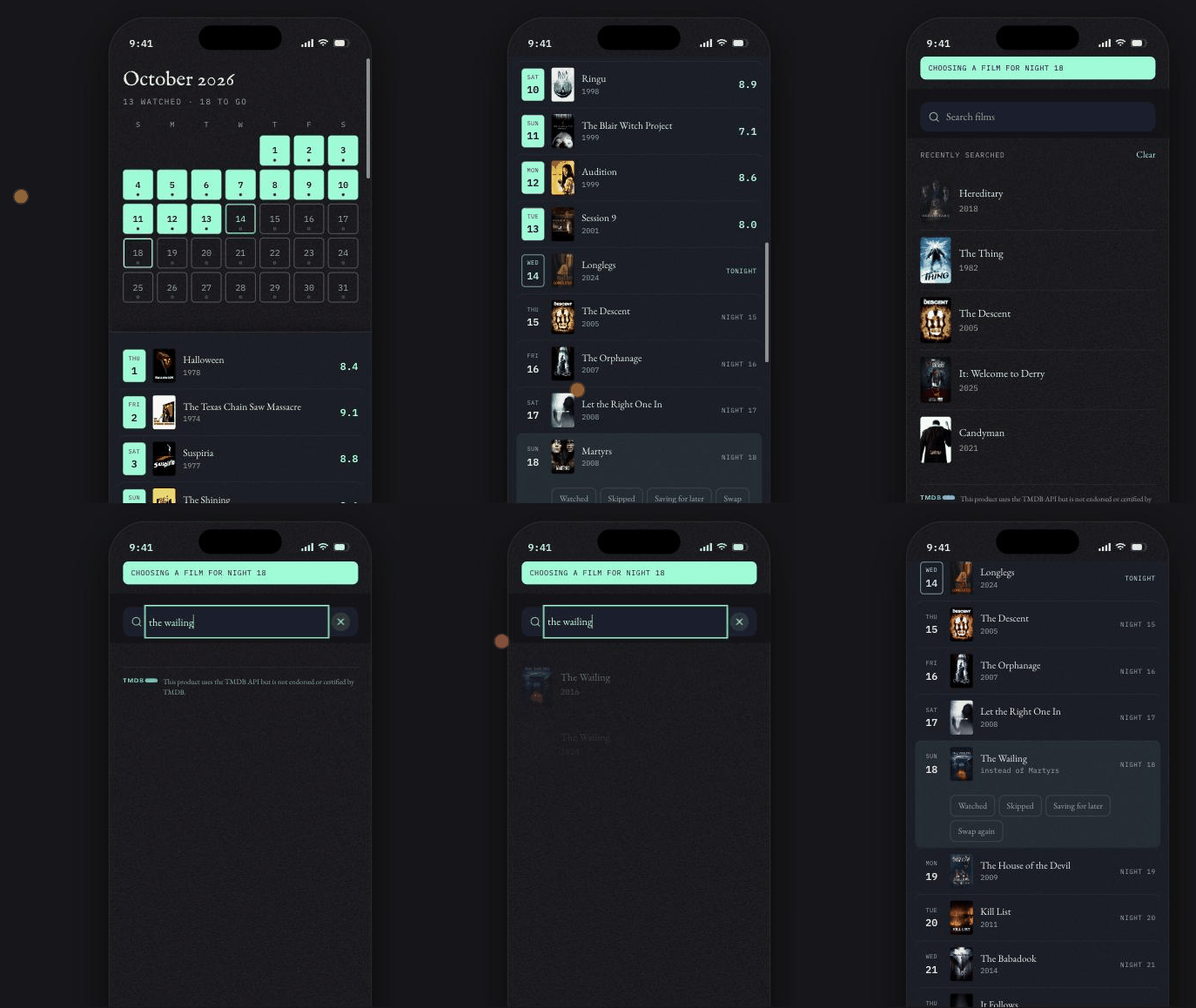
Swapping a night you will not get to, without touching anybody else’s calendar. - What I Built
- A search that treats finding a film as a disambiguation problem, a film screen filled by one request (runtime, director, cast, where to watch, trailer), a marathon month that finally shows which nights are spoken for with the schedule under it, and a note field so a rating can carry a sentence in my own words.
- Where AI Came In
- Where it earned its keep was measuring things I was only squinting at. I said the gap around the Rate button looked uneven; it measured six pixels above and sixteen at the sides, and the cause was two circles that did not share a centre. I said a rank badge read like part of the score; it read eight shipped ranked lists and found that every one of them separates those two numbers by distance, not by styling.
- What I Threw Away
- Four versions of a rank badge, in one night. Bright, then dark and floating, then moved down beside the score, then back in the corner with the colour given up. Almost everything I threw away tonight had been wrong since the day it was written and was invisible until the art became real: a film grain that was never showing inside the app, five poster boxes that were not 2:3 and were quietly cropping the art by different amounts, a badge whose character changed depending on how dark the poster behind it was.
- Next
- Wire the real ratings, and send the link to the testers.
Day 4 1 entry
-
Everything was connected, and one wrong account nearly got baked in
The first real sign-in. The name came from Google, the row came from the database. - What I Built
- All of the plumbing, proven rather than assumed. Supabase live with the invite list refusing an address that is not on it. Google sign-in working end to end, which is the screenshot: signed in, with the display name written by the database trigger on the way through. A TMDB key, and search against it returning real films with real posters.
- Where AI Came In
- Claude drove the consoles while I watched, which is how I caught that it had started creating the Google project under the wrong one of my accounts. I stopped it before the project existed. Moving a cloud project between accounts afterwards is miserable, and that was a thirty-second save.
- What I Threw Away
- The plan to leave Google sign-in in testing mode. Testing mode means every tester has to be added by hand in a second console, and anyone I miss gets bounced by Google before my app ever sees them, so my own friendly “you are not on the list yet” message never fires. Getting out of testing mode turned out to need a privacy policy, which nobody had planned and which now exists and is load-bearing.
- Next
- Make the screens worth the plumbing.
Day 3 1 entry
-
Two doors in, and the app still runs with no keys at all
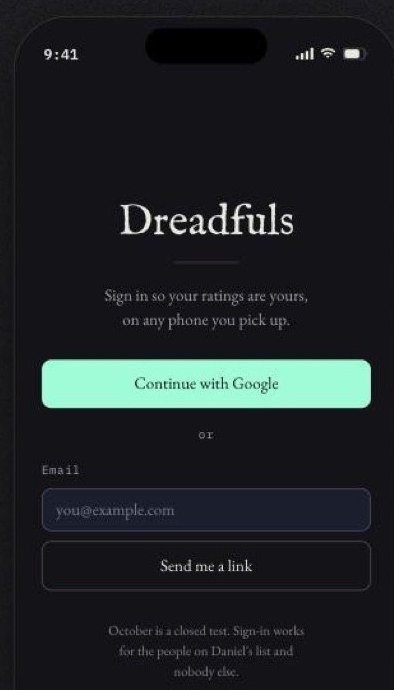
The two doors, and the line that tells you it is a closed test. - What I Built
- The database: ten tables, row level security on every one, and sign-in through both Google and an emailed link. Two doors and not one, because the testers are ten to twenty-five people I know personally and some of them will not hand over a Google account. A tester who cannot get in produces no ratings at all.
- Where AI Came In
- The schema was Claude’s call, made from my direction and reviewed by me, and that is the honest version. I said what October had to do; it shaped the tables and argued for one decision I would not have thought to make: a rating is not a child of a marathon night. It sits at the top level with an optional reference to one. Get that backwards and every film rated outside October is an orphan, and Your Horror becomes a query across a calendar.
- What I Threw Away
- The assumption that the app needs an account to run at all. With no keys in the environment it behaves exactly as it did the week before: every screen reachable, sample data, no sign-in. That is what keeps the published prototype working for anyone I send the link to. One codebase, two states, and which one you are in is readable rather than guessed.
- Next
- Turn the keys on and prove the gate actually refuses somebody.
Day 2 1 entry
-
The drawings became an app, and the phone stopped lying to me
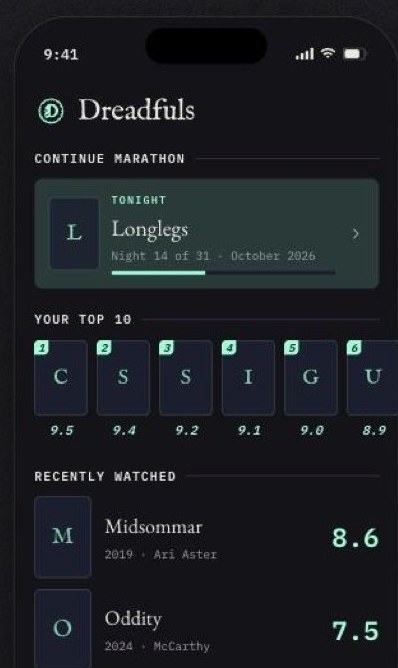
16 September, run from the commit itself. Every poster is a letter in a box. - What I Built
- React, TypeScript, Vite and SCSS modules, the five-tab bar with Rate breaking the top edge, and five real screens: Home, Rate, Marathon, Movie Detail and Launch. The rating flow is the whole ruled algorithm now, not a picture of one: the range, the binary-search placement, the like-with-like subgenre preference, the caps per band, the recommendation nudge, the plus or minus a tenth, and the three subcategories that explain a score without moving it. Routes I have not built yet name the block that will fill them and its date, so an empty app reads as scaffolding instead of as broken.
- Where AI Came In
- Claude Code turned the mockups into real components while I judged them at phone size. The judgement I kept for myself was scale: the mockups were drawn inside a 250px fake phone with 8.5px labels, so I copied the layout and re-set every type size by hand at 393px. It also caught a bug I would have shipped: the score in the header sat at 9.0 through three comparisons while the real number had moved to 8.1, because the animation was reading a stale value.
- What I Threw Away
- Letting anyone make their own marathon. My words that day were “I don’t necessarily want them to create their own marathons, I want it to be a very specific thing.” So testers get one October, read only, and they rate its films. What it taught me is that a cut can make a build cheaper in two places at once: it removed a whole authoring screen, and it killed the delete confirmation that was going to sit under it. I also cut Storybook out of the stack the same day. It is a good tool and there was no week to spend on it.
- Next
- Supabase, so a rating belongs to somebody.
Day 1 4 entries
-
The logo is a worn penny with a skull hiding a D
Big, then at 64, 32, and 16 pixels. - What I Built
- The logo, which I worked on alongside the app. Penny dreadfuls were cheap, sensational horror stories sold in the 1800s for a penny, so the mark is a worn penny. Inside it is a skull in profile, and its face is also the left side of a capital D. The first versions had DREADFULS and ONE PENNY around the rim so it would read as a coin. Where it landed: the words are off, the rim keeps its wear, the skull is bigger so it fills the coin, and the beaded teeth stay around the inside edge.
- Where AI Came In
- I ran prompts through Recraft, Ideogram, Quiver, and Adobe Firefly and picked the direction from what came back. I stopped giving them a design reference, because it was hurting their ideas. Claude handled the cleanup on the file: thinning the rim, taking the words off, and resizing the skull.
- What I Threw Away
- The words around the rim. They were there to make it look like a penny, but shrunk down you couldn’t read any of the letters, and they crowded the logo and made it too busy. Also the D in a circle, which looked like a letter in a ring, not a penny; an inner circle, since real pennies don’t have one; and teeth that looked like gear teeth. Penny teeth are separate little beads inside the rim.
- Next
- Make the D read more like the dome of a skull, with a softer, less sharp inside edge. And fix the rim: worn pennies get bent and flattened, not chunks missing.
-
You don’t type your score, you earn it
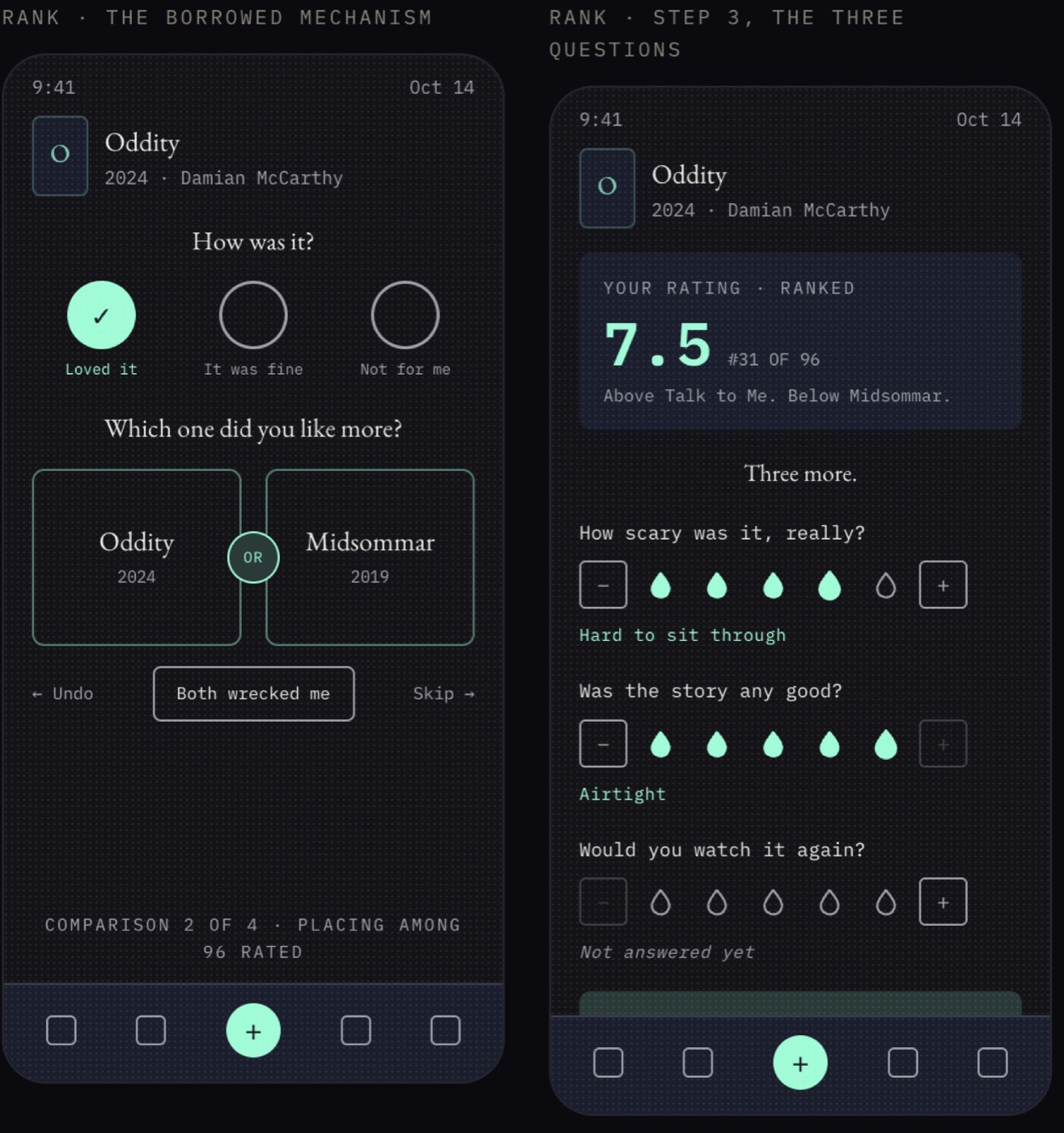
The rating flow as it stood that afternoon: the comparison, then the score it produced. - What I Built
- The rating flow. First, how was it: loved it, it was fine, or not for me. That sets a starting score. Then a few quick questions, which one did you like more, against movies you’ve already rated, and the score moves up or down live with every answer. If it lands on a 6.8 and it’s really more of a 7.1, you can nudge it. Then Scariness, Story, and Rewatchability, each a whole step with a word that says what that step means.
- Where AI Came In
- Claude built it as a working prototype I could tap through, so I could feel where it broke instead of reading about it. The comparison idea comes from Beli, the app that ranks restaurants.
- What I Threw Away
- Letting people type their own number, which was my original plan. And half steps on the three subcategories. I wanted them for precision, but once every step has its own word, whole steps are enough, and the overall score is where the precision lives.
- Next
- Build the rating flow for real, in React, as the first piece of the app. Still to design: how someone rates their very first movie when there’s nothing to compare it to yet.
-
Two colors in my palette failed contrast, and the fix is amber, not red
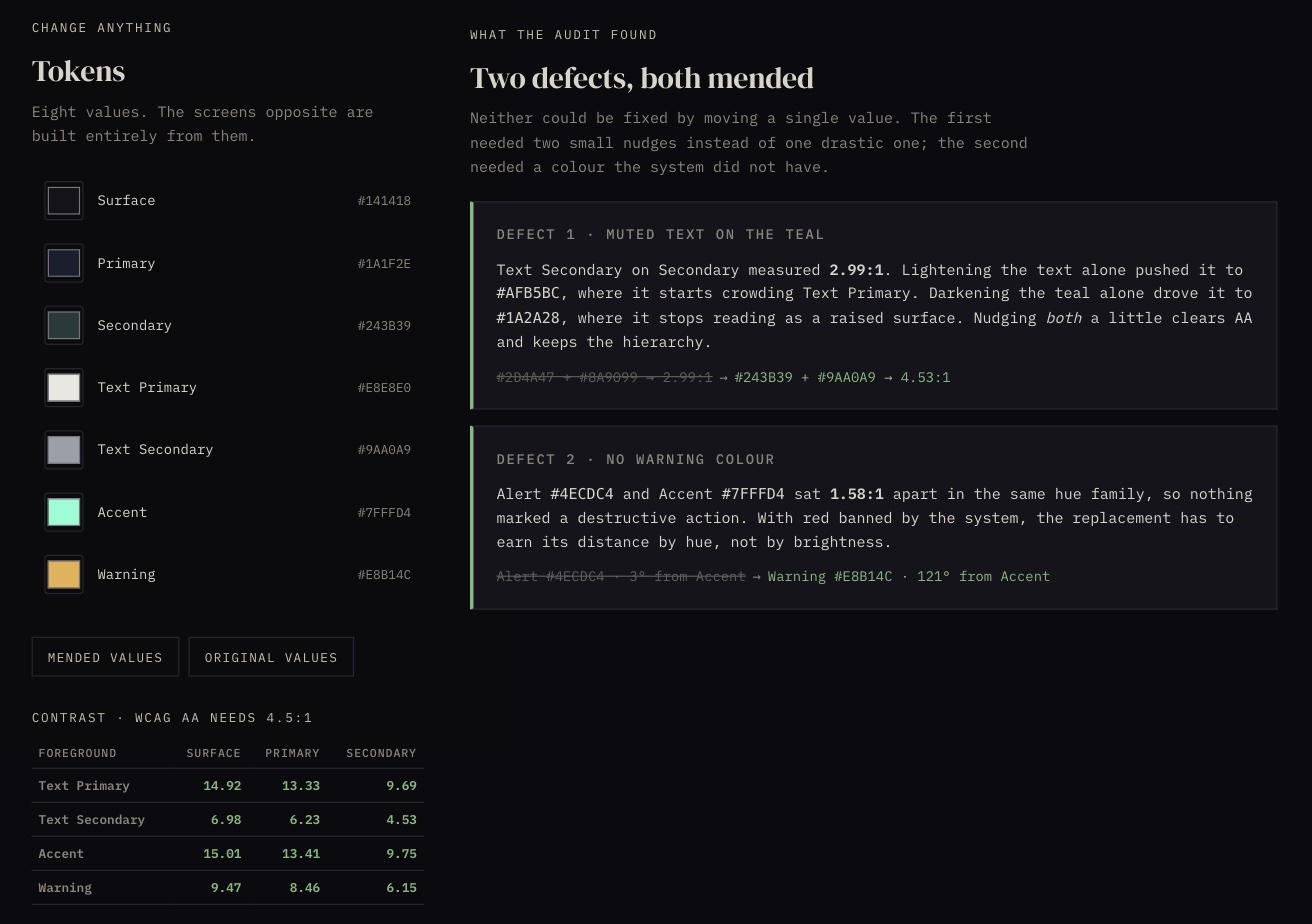
The tokens and contrast table on the left; the two pairings that failed, before and after, on the right. - What I Built
- Checked every text and background pairing in the palette against WCAG AA. Two failed: the gray text on the teal, and the warning color, which sat so close to the accent that nothing actually looked like a warning. I darkened the teal a little, lightened the gray a little, and made the warning amber.
- Where AI Came In
- Claude ran the contrast math on every pairing at once, so I wasn’t checking them one at a time and missing the ones I didn’t think of.
- What I Threw Away
- A more muted, oxidized version of the palette. It went flat, and you couldn’t tell what mattered on the screen. The original accent pops and pulls your eye to what actually needs it. I also kept red out, at least for now. Horror has a red, retro look, think Stranger Things, and it’s easy to fall straight into it. I wanted to challenge myself to make this feel creepy through good product design instead. I may still use red here and there.
- Next
- Figure out how rating a movie should actually work.
-
The name was taken, so the whole site had to change
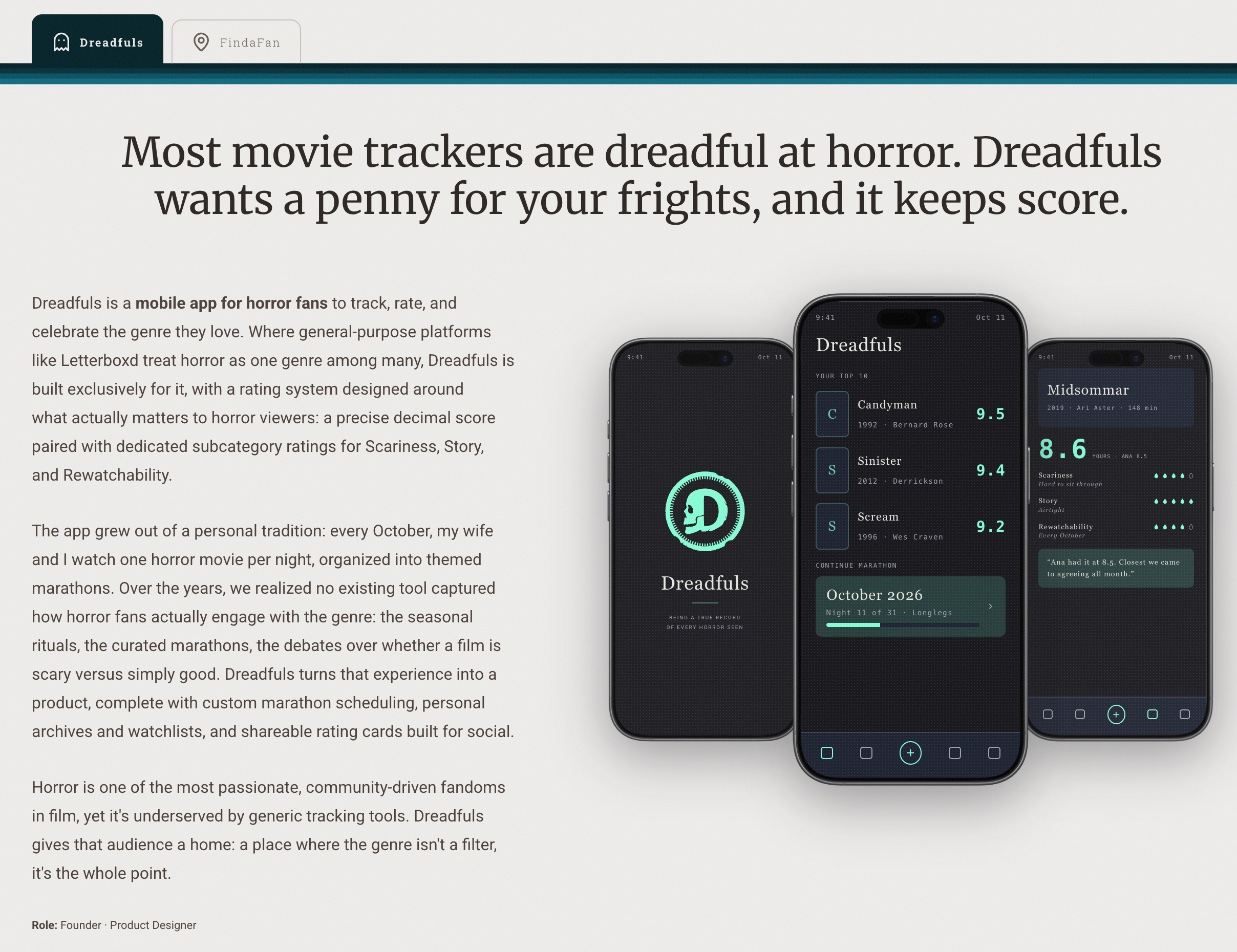
The new name, the new headline, and the new screens. - What I Built
- Renamed the app from ReelScared to Dreadfuls. reelscared.com is a live horror news site with the matching social handles, so the name was never really available. That meant the whole site had to change, not just a headline: the case study, the homepage card, the mockups, and every place the old name showed up.
- Where AI Came In
- I ran the USPTO search myself. Then I had Claude Code sweep the entire portfolio for the old name. I didn’t want to miss a single instance; someone finding a leftover ReelScared anywhere on my site would have been embarrassing, especially as a senior designer.
- What I Threw Away
- The old headline, “It’s time to get ReelScared.” Honestly, it was better than what replaced it, but the pun only works with the old name.
- Next
- Fix the contrast problems in the color palette.
Millions of fans live in one city and root in another, with no way to find each other. Now, you can FindaFan.
FindaFan is a location-based mobile app I'm building that helps fans of non-local teams find each other. Using custom zone maps, FindaFan divides a city into fan territories where users can claim their team from across the MLB, NBA, NFL, and PLL, see their zone, and discover fans of that same team nearby. I'm launching in Houston first, with other Texas cities as a fast follow and broader U.S. expansion after that.
The inspiration is my own life. I live in Houston, but every one of my teams plays somewhere else: the Braves, the Colts, the Pacers, and the Redwoods in the PLL. I know there are other Braves fans in this city, other Colts fans watching Sunday games alone. I just have no way to find them.
FindaFan is needed because that connection doesn't exist anywhere today. Team apps push content, social media is noise, and group chats are closed doors. By mapping fandom to real places, FindaFan turns scattered, displaced fans into a real local community, starting with mine.
Pick your favorite MLB team.
Atlanta
Braves
25 fans in Houston
♡3⚙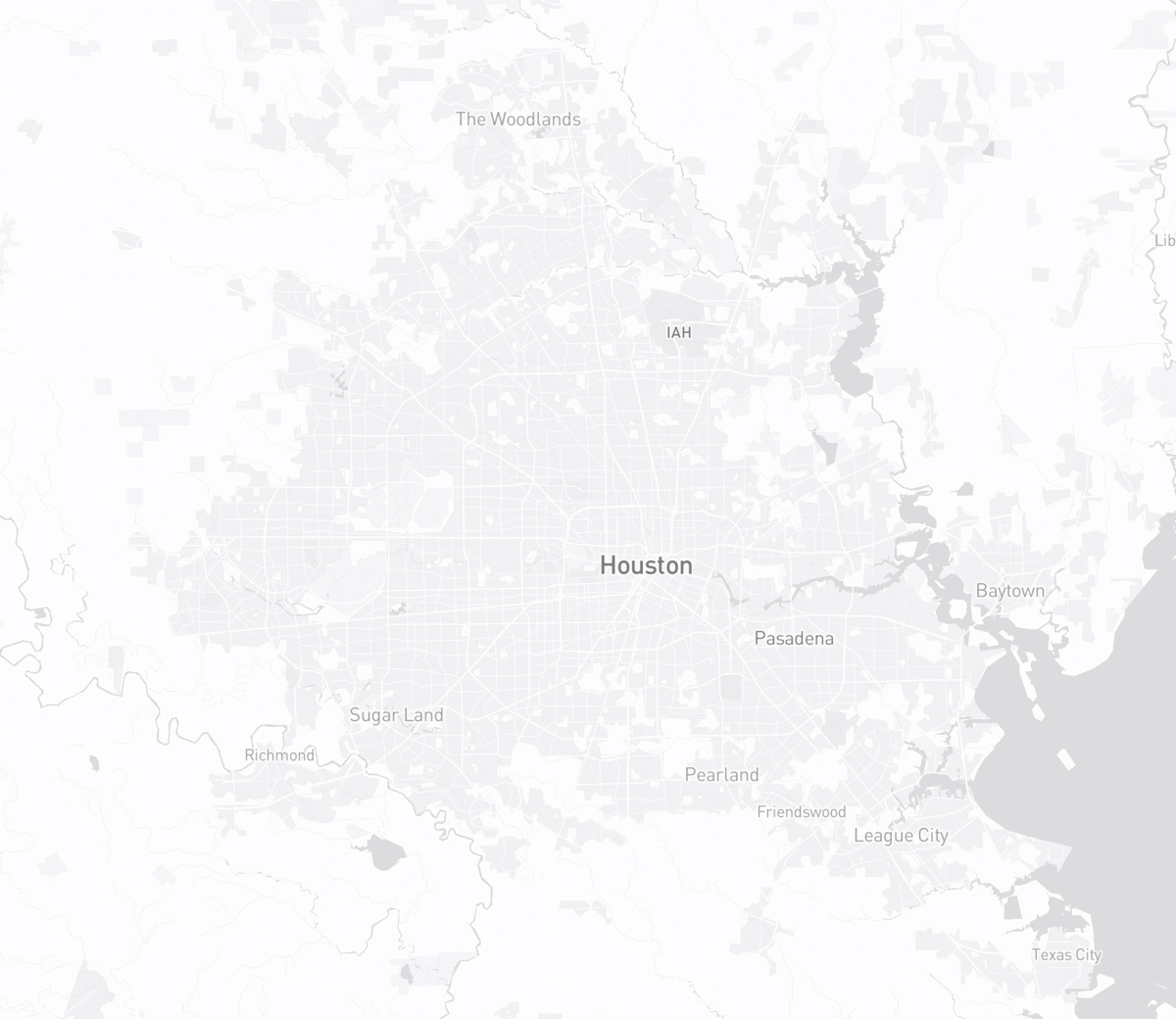
9 fans in Central
6 fans in Northwest
3 fans in Northeast
2 fans in Southeast
5 fans in Southwest
@htxlifer36
✓ Reached outMoved for work in 2019, still keep score by hand.
♡ Save to Fan Club Report or block
Origin
FindaFan has been written down since July 12, 2026, when I first put the whole thing in a handoff document: the zones, the leagues, and the rule that your home-market team is off the table.
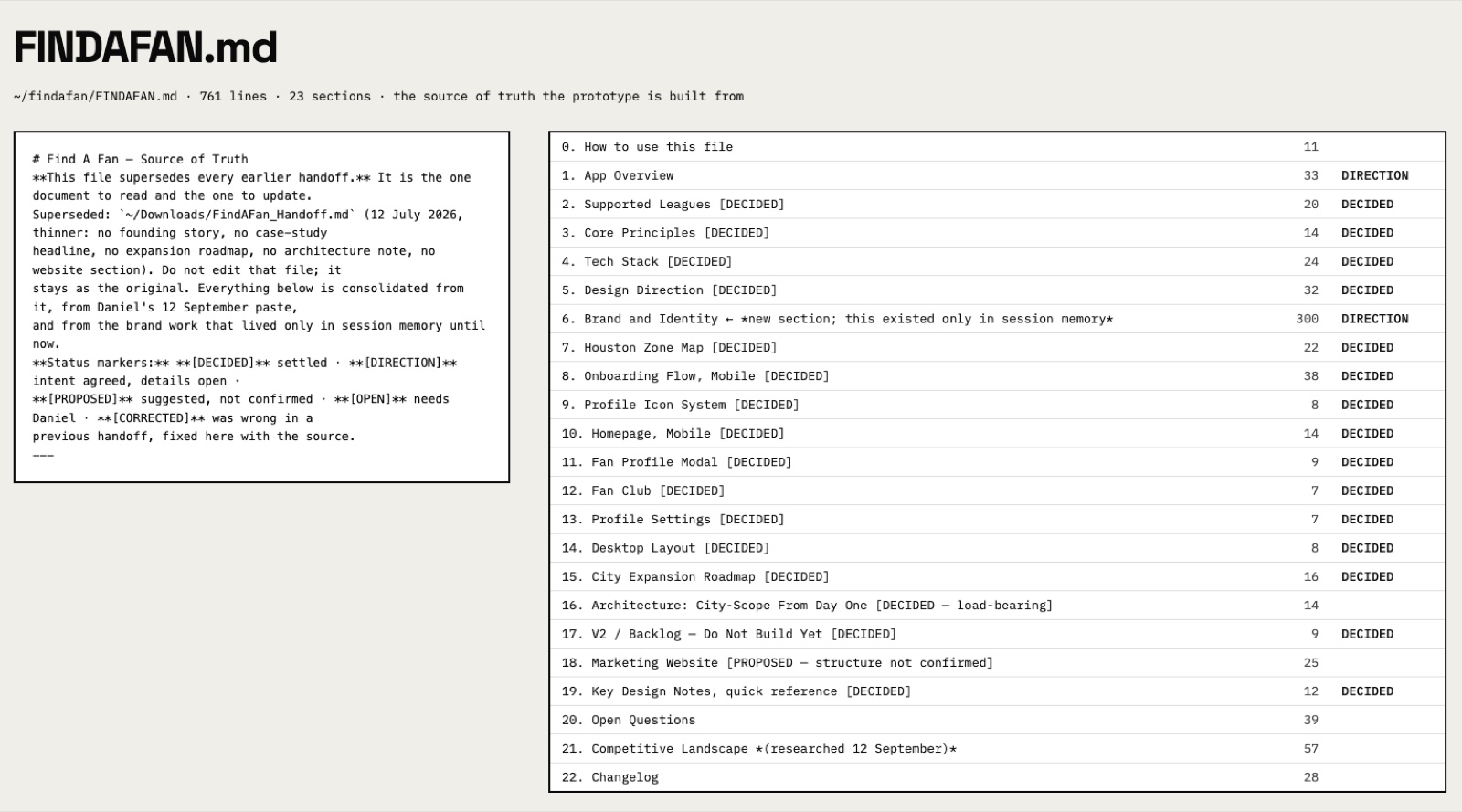
On September 12 I turned that, and every conversation since, into a single markdown file. Every flow, every section, every page, with the decisions and the reasons behind them. The prototype is built from that file, so the thinking and the build never drift apart, and a decision made in July is still legible in September.
Mobbin through MCP jump-started the components. Before drawing our own, I looked at how real apps handle a location step, a team picker, and a row of social handles.
FindaFan
Build Log
What I built, where AI came in, and what I threw away. Newest first.
Day 2 1 entry
-
One shape per job, and one letter per fan
Two colors per team, and a Fan Club that names the team. - What I Built
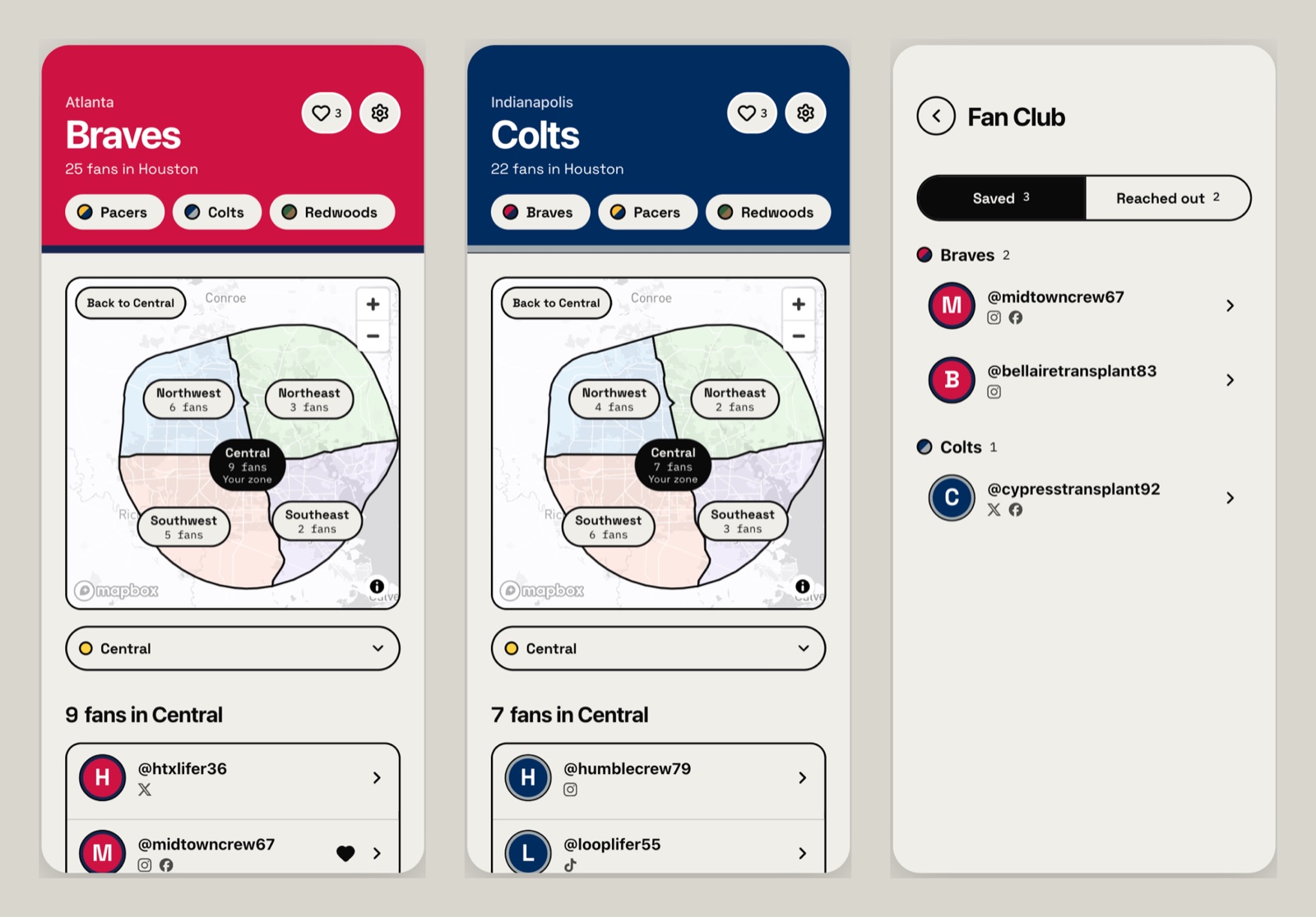
- I went back through every screen because everything was so boxy and square, and some of the rules just didn't make sense. A team's mark sat in a square, inside a pill of the same color, with the second color as its shadow. Now each shape has one job: buttons and tabs are pills, the map and cards get soft corners, and anything that stands for a team or a person is a circle. Only the main button on a screen keeps a hard shadow. The team you're on sits big at the top, your other teams sit right under it, and Home opens on the whole city with a fan count in every zone. The team's second color came back as a stripe under the header, like the trim on a jersey. Two colors tell teams apart better than one: the Pistons and Clippers wear the same red, and the trim splits them. White and silver trims get a thin black line so they don't melt into the page. Fan Club now groups people under each team's name, because a Jazz fan and an Outlaws fan wear the same navy and gold.
- Where AI Came In
- Claude ran a screen-by-screen review, made the changes, and measured the trim against all 100 teams. I made the calls: the team name stays on top, the team switcher lives in the header so no team is named twice, the icon bank goes, and the trim stays.
- What I Threw Away
- Fifteen profile icons per team. It was way too much, and every Braves fan looked the same in a list anyway. Your icon is now the first letter of your username in one of your teams' colors, and the only choice is which team. I also tried pinning every team in place with the current one shrunk to a dot. I didn't like it.
- Next
- Telling teams apart without logos is only partly solved. After weeks on a real sports app built the same way, I couldn't keep track of who was playing who. The logo is the shorthand in my head. Color pairs and written names help, and the next step is finding every place a team still shows up as color alone.
Day 1 2 entries
-
If we can't use their logo, the two colors are the logo

Primary, secondary, and the text colour each pair earns. - What I Built
- Every team now carries two colors, a primary and a secondary, instead of one. Teams appear by name and color only, so the pair has to do the work a logo would: it fills the Home band and its edge, marks the team tabs, and builds a bank of fifteen profile icons per team out of nothing but the team's name and those two colors. The text on any team color is picked by contrast, so it lands on white or black depending on what passes.
- Where AI Came In
- Claude generated the icon bank and ran the contrast math on every pairing. I made the call that two colors was the answer.
- What I Threw Away
- Single-color team chips. With one color and no logo, half a league looks the same, and the navy teams were indistinguishable from each other.
- Next
- Polish the UI. The look is brutalist on purpose, but what has been produced needs a lot more attention and care. I hold my UI to a standard, and it is not there yet. Every colour pair also needs checking against an official source: they were compiled from memory, and the eight PLL teams are guesses.
-
Zones stopped being circles
The zones as the app draws them, on the real city. - What I Built
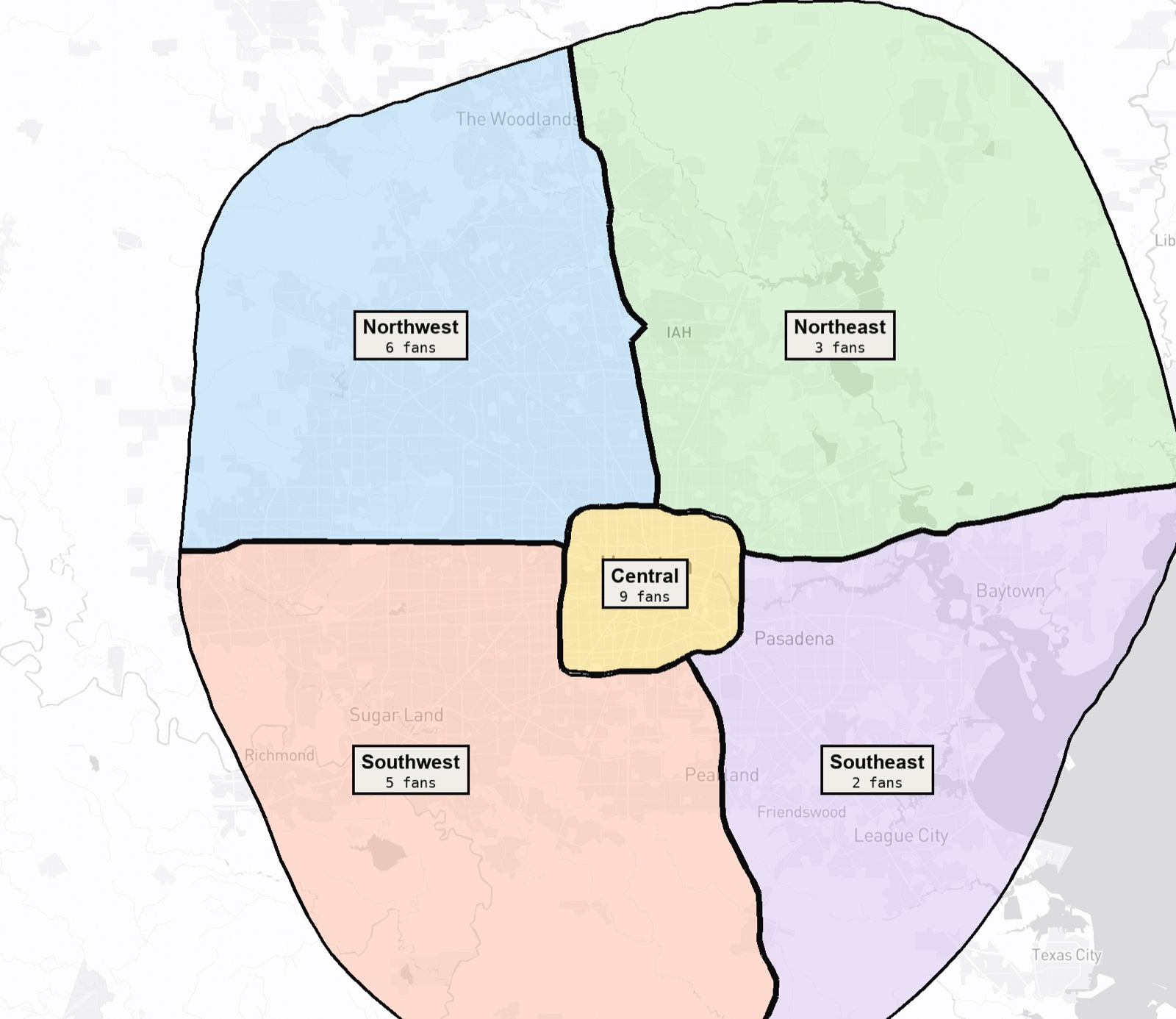
- I drew Houston's fan zones by hand on a map, then rebuilt them from the real roads. Central is everything inside Loop 610. Outside it, I-10 West splits Northwest from Southwest, Hardy Toll Road splits Northwest from Northeast, I-10 East splits Northeast from Southeast, and Telephone Road splits Southwest from Southeast. The roads dictate where the sections keep going as the city grows, so the same five zones now reach past the Grand Parkway without me redrawing anything. Katy lands in Northwest, Richmond in Southwest, Kingwood in Northeast, and Pasadena in Southeast.
- Where AI Came In
- I drew the zones; Claude pulled the actual freeway geometry from OpenStreetMap and cut the polygons along it. Tracing those boundaries by hand would have taken a day and still been wrong at the edges.
- What I Threw Away
- A lot, and I expected to. I knew that if I had AI draw the map, it would come back either inaccurate or abstract, so the first version was a ring with four quadrants: a diagram of a city, not a city. I always knew I would have to do the nitty-gritty myself, assigning the rows and sections by hand, and throw out most of the AI slop along the way. What made it work was giving it something real to follow: the freeways.
- Next
- One edge call left: Pearland sits right on Telephone Road and currently lands in Southwest.